
Our Customers
Less Effort, More Clarity: The Key to Modern Document Creation.
Discover how organizations have reimagined their document processes
and are now working faster, more consistently, and significantly more efficiently.
Many organizations face the same challenge: years of accumulated Word templates, multiple document versions, inconsistent layouts, and a high level of manual effort. The result is unnecessary errors, increased coordination, and additional work in day-to-day operations.
Our customers have left these challenges behind. By adopting structured templates, clearly defined processes, and modern document automation, they have transformed the way documents are created and managed, achieving measurable improvements in efficiency and consistency.
Whether in the public sector, utilities, housing associations, legal services, or healthcare, our customers share how SmartDocuments helps them create documents that are standardized, intelligent, and automated.
On this page, you will find a selection of real-world customer success stories. Discover the starting points, challenges, and solutions behind each project, and see how modern document processes work in practice.
Get inspired. The next success story could be yours.


Stories from Our Customers
How do our customers use SmartDocuments, and what value does it bring them?
Nothing explains software better than the people who use it every day. In our customer success stories, organizations share their experiences openly, from their first steps with SmartDocuments and the challenges they faced to the solutions that have made a real difference in their daily work. Whether it was a small process improvement or a complete transformation of document workflows, these stories highlight how teams across government, IT, and business departments have simplified their template and document processes step by step, creating greater efficiency, consistency, and peace of mind along the way. Discover how organizations like yours are using SmartDocuments to work smarter, communicate more effectively, and achieve lasting results.
Enjoy exploring their stories and get inspired by their success.
From the Right Template to Well-Structured Documents
Petra Verberne, Application Manager at Someren
It’s the ease of standard texts, automated branding, and data exchange that makes SmartDocuments stand out. Petra Verberne, who manages the templates at the Dutch municipality of Someren, explains how she uses the software in her day-to-day work.
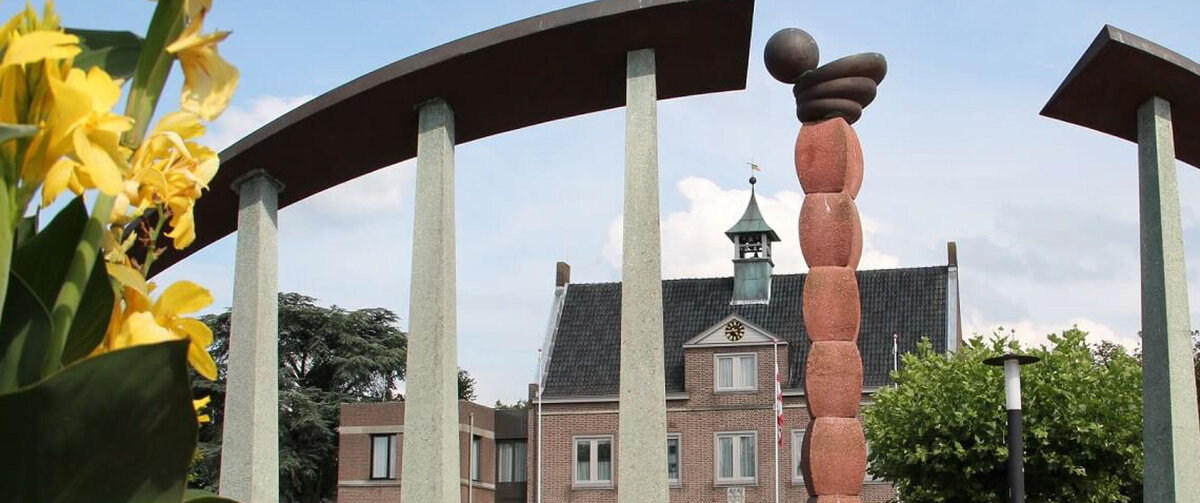
The municipality of Someren, located in the Netherlands, has been using SmartDocuments for many years. Petra Verberne has worked for the municipality since 2001. “When I started, we had just transitioned from WordPerfect to Microsoft Word,” she says. “A few years later, we looked at how we could organize our work more efficiently, and that’s when we came across SmartDocuments. Today, almost all of our letters are created in SmartDocuments.” Petra is the Application Manager for the software within the municipality. “I manage all SmartDocuments templates across our organization.”
It took some time before the application was actually put into use, due in part to the procurement process for a case management system. “Contact with SmartDocuments was good at the time, but the development and use of templates were put on hold during the procurement process.” SmartDocuments has now been in full use for several years and is integrated with multiple systems within the organization, such as the case management systems Djuma and PowerBrowser.
Creating Letters with Ease
“We use SmartDocuments for all letters and documents where our corporate style is applied,” Petra explains. “Completing a document step by step leads to a clear final document. For my colleagues, it has really become easier to create a letter. There is no longer a need to worry about the correct format or content. In just a few steps, they go through the right template to produce a well-structured document. In addition, thanks to SmartDocuments, we no longer need pre-printed letterhead.”
Petra emphasizes the ease of use of SmartDocuments. “Working with standard texts makes things easier and also prevents misuse of documents. The writing style, corporate identity, fixed texts such as contact details and the signature – all these standard elements are predefined, and users cannot alter them. They only need to select the right option, which makes their work more efficient. That is the biggest advantage.”
“It can be quite a puzzle, but it’s definitely an enjoyable one.”
Bringing Integrations and Templates Together
Petra is satisfied with the integrations that have been implemented: “Data that is already stored in another system can easily be added to a document through the integration. You no longer have to copy it manually.” She does note that it’s not always easy: “An integration requires a lot of preparation to get everything out of it properly. Although it varies by integration, it can be quite a puzzle, but it’s definitely an enjoyable one.” The same applies to creating templates, she adds. “Some are very easy, while others are quite complex. Some include extensive question trees. I enjoy figuring that out. It takes quite a bit of work to prepare a template properly, but once it’s set up, it works. Then I know I’ve done it right.”
Smooth Collaboration
In addition to the software, Petra is also positive about the organization behind SmartDocuments. “The collaboration is great. Working with the SmartDocuments team is very straightforward. If I have a question, the support team responds right away. I also receive tips and tricks that go beyond the software, for example about working in MS Word. I don’t have to worry about technical support either, because I know it’s handled well. That collaboration and communication are very valuable.”
Request a demo and discover how SmartDocuments could benefit your organization!
Efficient Document Creation That Contributes to Quality Care
An Van Herck, Management assistent at HSK Groep

By automating processes, freeing up more time for client contact. According to the Dutch healthcare provider HSK Groep, that is the greatest added value of using SmartDocuments. An Van Herck manages the templates within the organization and explains how she uses the software to make a difference for clients, employees, and other stakeholders.
HSK Groep is a provider of mental health services in the Netherlands, specializing in occupational health. In addition to interventions focused on recovery from psychological complaints, HSK also offers services aimed at preventing mental health issues and supporting personal development. With locations across the Netherlands, HSK employs more than 500 people.
Appointment confirmations, process information, and reports – these are just a few examples of the documents HSK sends to clients, general practitioners, occupational physicians, and employers. The primary focus is, of course, the care provided to clients. That is why the processes surrounding these documents must be as efficient and easy as possible for HSK employees, both therapists and service desk staff in planning and administration. “Previously, creating documents involved a lot of copy-and-paste work with a wide range of manual adjustments,” says An Van Herck, Management Assistant at HSK Arnhem. “It was really a hassle, and before you knew it, the formatting would be off again.” Four years ago, the decision was made to implement SmartDocuments. “Now it’s almost become a bit of a game to make everything as efficient and effective as possible,” An says.
HSK uses an Electronic Patient Record (EPR) called WeCare. An: “All client information is stored in that system. Thanks to the integration between SmartDocuments and WeCare, we can automate processes. Client data is automatically loaded, and reports and letters are immediately generated in the correct format. We can also ensure that processes are followed correctly and that data does not end up with the wrong person. We do, of course, work with sensitive patient information. That’s why, for example, certain reports can only be shared with a physician, not with an employer.”
The result? “Time savings! And ease of use. It’s very clear and easy to navigate,” An says. Therapists use SmartDocuments to create their reports. An: “By keeping the administrative burden low, there is more time for client contact.”
There have also been improvements in written communication with clients. An: “It’s important to properly support people who are in a difficult situation. It is often already a mental burden to seek help and deal with practical matters. The last thing you want is unnecessary or unclear letters with information that doesn’t apply to your situation. Suppose we call a client to schedule an appointment. The planner then sends the correct appointment confirmation using SmartDocuments. This way, the client knows what to expect and can review the information shared over the phone later. The same applies to employers and occupational physicians; they know the information they receive from us is complete and where to find what they need. Quotes and pricing are also always up to date, as we can process that information automatically and without errors from WeCare in SmartDocuments.”
An started out as a planner and was initially involved with SmartDocuments one day a week. Now, she manages all templates across the organization. An: “My goal is to make everything as easy and consistent as possible for my colleagues, clients, and other stakeholders. I also challenge myself to consolidate as many letters as possible into a single template wherever I can. Users don’t notice this, but in many cases it actually makes things easier for them.”
“Our stakeholders know what to expect. The information they receive is accurate, complete, and up to date.”
An is also positive about SmartDocuments as a vendor. “I always try to figure things out myself first, but when I contact support, I get the help I need. It’s reassuring that they jump right in. HSK isn’t a typical SmartDocuments customer, so not every question is equally easy to resolve.” “Would I recommend SmartDocuments to others? It can save anyone a lot of time,” An says. She does emphasize that it’s important to make full use of the license. “For example, the preview feature is so useful. It allows our therapists to immediately see what data is being pulled in and whether their report is complete. That’s ease of use as well.”
Request a demo and discover how SmartDocuments could benefit your organization!
Serving All Partner Organizations with a Single Set of Templates
Rolf, Melanie and Joop, Environmental Authority IJsselland
Environmental Authority IJsselland, a regional environmental authority in the Netherlands, works with ten local municipalities and the regional Safety Authority in a shared information environment. The authority is responsible for managing the information system on behalf of the participating organizations. To work as efficiently as possible, the authority set out to find a solution that would allow it to serve all partner organizations using a single set of templates.
Joop Muller, the Information Management Advisor at Environmental Authority IJsselland: “In 2016, we conducted a tender for software to support permitting and regulatory inspections. As part of that tender we were also looking for document creation functionality. The software vendor we had in mind offered this functionality through the use of macros, but that would have resulted in complex management. We work with eleven partners and wanted to use a single set of templates for all of them, which would not be possible with macros. We also did not want to end up in a situation where we would have a separate set of templates per partner. Many of our municipalities were already familiar with SmartDocuments, and the SmartDocuments software aligned with our requirements. At that point, the choice was fairly simple."
Smart Use of Software
Rolf van der Kuijl and Melanie Bosvelt are Application Managers for SmartDocuments at Environmental Authority IJsselland. Rolf: “We were aware of the software’s capabilities and were already familiar with it, which made the transition easier. As Application Managers, we aim to work as efficiently as possible and support as many of our partners as we can.” Melanie: “We build templates that are as standard as possible, but within those templates we work with interchangeable headers, footers, and other building blocks so they can be personalized per partner. As template builders, we focus on keeping the effort required to complete a letter as low as possible for the end user. This means, for example, asking as few input questions as possible and ensuring that users only need to enter information once. The integration between SmartDocuments and the software supporting permitting and inspection (PowerBrowser from Genetics) makes this possible.” Joop: “That is also why we deliberately use these applications as SaaS solutions. Installing software locally is impractical when you serve eleven organizations. With SaaS, we can resolve issues more efficiently because the software environment is the same for everyone.”
“We are committed to using the software as intelligently as possible,” Melanie explains. “In that process, we learned a great deal from one of the SmartDocuments consultants who supported us. That support has been extremely valuable in creating partner-specific texts. He taught us many techniques, and we bundled all of those tips and tricks into a kind of handbook.” Rolf: “That is very useful: we can look up how we built something, and if we run into an issue, we can find how to resolve it. And if that doesn’t work, we can always turn to the SmartDocuments support team with our questions.”
Standard and Uniform
“We are only responsible for creating the template,” Rolf continues. “The content of each letter comes from our editorial board. It is a fun challenge to translate their requirements into a functional template within the SmartDocuments software. The template is the end result, so we do not need to get involved in discussions about the content itself. We do, however, define the technical boundaries. Together with the editorial board, we are tasked with making texts standard and uniform, with as little customization as possible.” Joop explains how the editorial board came into being: “There needed to be a single set of letters for our texts, which is why the board was established. In effect, this is where the rules of the game and the framework for collaboration in creating letters were defined. As part of this structure, each template has a designated owner.” “It works very well that the process is structured this way; it makes us jointly responsible,” Melanie says.
“People are sometimes almost surprised by how easy and user-friendly it is.”
Environment and Planning Act & Accessibility
“We have also made practical agreements within our organization about, for example, the formatting of our letters and writing style; that too is part of the rules of the game,” Rolf explains. “In terms of writing style, the editorial board has recently gone through a transition focused on accessibility. In addition to being busy with the preparations for the upcoming Dutch Environment and Planning Act, the editorial board has worked to apply plain writing principles to all letters. These letters were submitted to the Association of Netherlands Municipalities (VNG), which then shared them nationwide as a sample set of Environment and Planning Act letter templates.”
Melanie: “That is a win-win situation: the association supported us and, in return, now has a completed set of strong standard letters. With regard to the Environment and Planning Act, we also see a challenge for our application management work; we can continue to use the template and the revised content, but the dataset is changing. SmartDocuments and Genetics are supporting us to ensure this transition runs as smoothly as possible.”
User-Friendly and Straightforward
“We have 700 SmartDocuments licenses within our organization,” Joop says. “We rolled out the software in phases, and usage is still increasing every day.” Rolf: “We asked managers to encourage the use of our standard systems.” Melanie adds: “With SmartDocuments, we now have insight into how often a specific template is used. If someone chooses to continue creating their own letters manually, they are taking on a lot of unnecessary work. It is also prone to errors; a copy-and-paste mistake can easily happen.”
“Overall, we hear a lot of positive feedback about the use of SmartDocuments,” she continues. “People are sometimes almost surprised by how easy and user-friendly it is. ‘This is really great,’ we hear. Our partners are very positive about it and notice that they are making progress with SmartDocuments. We always appreciate hearing that.”
Learning from Each Other
“We continue to make an effort within our organization to contribute to the development of document templates and to keep the threshold low for users to work with the standard letters. We want to be accessible and available to the editorial board, because we have to do this together,” Rolf concludes. “In addition, we are also in contact with other environmental authorities that have recently transitioned to PowerBrowser from Genetics in combination with SmartDocuments. We value the opportunity to exchange experiences about how things are going, how we solve certain issues, and what is possible. We enjoy investing time in that. The same applies to other types of SmartDocuments customers whom we meet, for example, at SmartDocuments’ customer days. We can support each other well and learn a great deal from one another.”
Request a demo and discover how SmartDocuments could benefit your organization!
Efficient Document Creation for Case-Based Working
Raymond en Ciska, Employed at the Water Authority Limburg

The Water Authority of the Dutch province of Limburg operates according to the principles of case-based working and utilizes SmartDocuments as a solution. Raymond Sahl and Ciska de Zwart elaborate on how SmartDocuments contributes to an efficient and transparent workflow.
Raymond Sahl serves as the Information Provision Advisor at the Water Authority of Limburg. “We have been implementing case-based working for several years. In 2019, we migrated to Office 365 in combination with SharePoint Online,” Raymond explains. “Our previous document creation tool did not support the SharePoint Online environment. Subsequently, we explored alternatives and found SmartDocuments. We initiated a Proof of Concept, which was highly successful, primarily due to the synergy between Office 365, SharePoint Online, and SmartDocuments.”
Each Process Has Its Own Set of Letters
“Both the technical installation of the software and the basic training that our functional administrators attended at SmartDocuments went smoothly,” Raymond continues. “Then, we collaborated with SmartDocuments consultants to create templates. We had to create templates for each of our processes, which was a time-intensive process but adhering to clear deadlines proved to be effective.”
Ciska de Zwart is the Management Assistant responsible for managing the SmartDocuments application within the Water Authority. “As the central point of contact, I coordinate and manage all aspects related to our templates. This includes gathering submitted requests for template changes by process owners and maintaining close communication with SmartDocuments consultants whenever support is required.”
“Our processes are efficient, effective, and transparent as a result.”
The Power of Case-Based Working
“The strength of SmartDocuments is that we can configure it in such a way that you can only access a document template from our Case Management system, GoverMaxx by Split~Vision. When you start a new case or when you work in an existing case, a new document can be created directly from it. This ensures our organization operates on a case-based basis. Also, brand consistency and standardization are ensured through these systems,” says Ciska. Raymond adds, “The robust integration between GoverMaxx, SharePoint Online, and SmartDocuments provides users with a simple and user-friendly workflow, contributing to the adoption of case-based working. Our users can collaborate when working on documents or even when working on entire cases both internally and externally, with ease. Over time, we continue to enhance functionality, such as digital signatures within the case system. Outside of the Case Management system, users do not have access to the functionalities or document templates, thereby preserving our case-based approach.”
“We utilize SmartDocuments for all our documents,” Ciska explains. “A document is generated from the relevant case, and the created document is then saved, including a unique number. We also utilize integration with Unit4Financials for our procurement processes. These are complex document templates, but SmartDocuments simplifies the process for end users.
Raymond elaborates, “When creating a procurement document, specific information such as the amount is included. Depending on the amount, SmartDocuments automatically places the signature of the appropriate budget holder in the document. Additionally, budget numbers are automatically populated from the system into the letter. This minimizes the risk of errors. Our digital signature functionality ensures that once the budget holder signs the document, the signed document is automatically stored in the corresponding case in the case system. This keeps everything together, ensuring our processes remain efficient, effective, and transparent. Furthermore, we are able to comply with government regulations, such as the archival law, by storing information in a sustainable manner and ensuring accessibility.” Ciska adds, “Another feature I appreciate is the ability to require mandatory fields to be filled out in order to complete a letter. This further ensures the quality of our processes.”
Clear and User-Friendly
“We experience working with the people from SmartDocuments as very pleasant,” says Ciska. “They keep their promises, have a lot of substantive knowledge, and assist us when needed.” Raymond adds, “We receive support based on the agreements outlined in the SLA (Service Level Agreement), but we also utilize their consultancy services with prepaid hours. This works well; it means we don’t have to arrange any procurement in advance and still have access to flexible support.” Ciska continues, “This applies to more complex solutions. Fortunately, we can also do a lot ourselves. Working with building blocks and adjusting the building blocks, for example. Recently, due to an extensive new law, we reviewed all our templates together with SmartDocuments and saw that we could create building blocks for some elements very effectively. If something changes in one of those elements, we only need to adjust that one building block, and with a click of a button, it updates in all related templates. We were also able to prepare everything in advance for the introduction of the new law, publish it on the correct date, and everything worked smoothly. That’s very satisfying.”
“Due to the powerful integration between GoverMaxx, SharePoint Online, and SmartDocuments, users perceive it as a simple way of working.”
“The SmartDocuments system is clear and functions well,” explains Ciska. “We have insight into how often a template is accessed, and the rights structure works effectively. Users only have access to the document templates they need and cannot select the wrong template. We also try to set up templates as intelligently as possible, for example, by linking different letters within one template. This reduces the total number of templates.” Raymond adds, “This will continue to evolve. Users experience how well the solution works and therefore use it increasingly more. We see this reflected, for example, in an increasing number of requests for new document templates. Users see that it is powerful and user-friendly.”
Request a demo and discover how SmartDocuments could benefit your organization!
Unified Document Standards for Efficient Municipal Document Creation
Leuntje van Duijn and Irene Keehnen, Heemstede und Bloemendaal

The municipalities of Heemstede and Bloemendaal are actually two separate municipalities, but they act as partners when it comes to IT. This cooperation helps foster a sound IT policy. ‘Stronger together’ is a very fitting motto here. Leuntje van Duijn and Irene Keehnen, employees involved in computerization and also known in their organizations as the SmartDocuments Team, are happy with the municipal partnership and the role that SmartDocuments plays in it.
For years, the Municipality of Heemstede and the Municipality of Bloemendaal each had their own separate automation department. That was until they decided to outsource their automation. When the decision was made to outsource both of their automation departments to the same provider, a partnership seemed to be the next logical step. The opinion was that a shared system was essential. Leuntje (Municipality of Heemstede): “An official partnership developed from the bottom-up. When we came together, one of the first requirements was that our automation departments had to be able to run the same programs. That was approved by the management team.”
SmartDocuments Team
Irene (Municipality of Bloemendaal): “When we decided to collaborate on automation, the Municipality of Bloemendaal had already been working with SmartDocuments software for several years. We had been working with the Corsa document management system for a long time. I created all the templates there. Years ago, we were approached by SmartDocuments, then called High Concept, about a potential collaboration. The SmartDocuments software was easy to link with Corsa, so it seemed like a good idea to bring SmartDocuments into the fold.” This means the partnership between SmartDocuments and Bloemendaal stretches all the way back to 2007. The long-standing collaboration carried a lot of weight.
When the new partnership between Heemstede and Bloemendaal was formed, it was decided that the Municipality of Heemstede would also transition to the SmartDocuments software. Leuntje: “At the Municipality of Heemstede, we were using the DMS version. As mentioned earlier, when we started working together, we agreed to harmonize our automation departments. We wanted the same thing as Bloemendaal: SmartDocuments. This was partly because they already had so many templates. When the question came up of who wanted to handle creating templates in the new system, I raised my hand.” Since then, Irene and Leuntje have been working together as the SmartDocuments Team, to their mutual benefit.
“It has loads of benefits. For example, if you need to edit something in a document, you can do it in one place.”
Collaborating for Faster Solutions
The municipalities of Bloemendaal and Heemstede use the Professional Edition of SmartDocuments. This package contains an infinite number of elements, which they can use to create as many templates as they need. The software is linked to multiple systems, such as the Corsa document management system and the Mozard case management system, and now has over 400 users. Enough reason to keep a close eye. Irene: “It’s great to be working together now, instead of being off on our own separate islands. We meet once a week to see whether there are any matters that need looking into.” Leuntje adds: “It’s nice to bounce ideas off each other. We can build a network together, and collaborating saves a great deal of time.” Both agree that working together generally helps them find solutions faster for any issues that may occur. Irene: “While we used to struggle with issues on our own, we can now resolve them much more quickly together.”
From Two Systems to One
In the early days, each municipality worked within its own SmartDocuments environment. When the time came to transition to a newer version, it was possible to merge the two working environments. This of course brought all the usual hassle. Leuntje: “We made it easy on ourselves. For instance, Irene and I labelled all of our own templates.” “You can also see which user belongs to which municipality,” explains Irene. “What’s more, you can look at the assigned permissions to see who works for which municipality.” When merging the two working environments, the municipalities enjoyed ample support from SmartDocuments, both remotely and on site. This was something that Irene and Leuntje appreciated very much. Irene: “It works to have everyone together, and someone from your own automation department is always ready to be there when something needs to be set up.”
Working with SmartDocuments is now based on roles. Of course, just as with any partnership, everything needed to be harmonized. Uniformity is an important focus point for both municipalities. Leuntje: “Spellings needed to be harmonized. We have teams that only work for Heemstede or Bloemendaal, as well as collaborative teams that create documents.”
“While we used to struggle with issues on our own, we can now resolve them much more quickly together”
SmartDocuments Makes It Easy
Both municipalities agree: SmartDocuments makes it easy. Irene: “It has many benefits. For example, if you need to edit something in a document, you can do it in one place. Another advantage is that you no longer need any printed stationery. The corporate identity is already applied to all documents.” Both agree that building blocks are the key to the process of document creation. Leuntje: “You should always work with a building block. When you change the block, the correct version instantly appears in all of your documents. For instance, I make buildings blocks for contact information, letterheads or reference numbers.” Irene: “We want to make it as efficient as possible for our colleagues, so they can use the link with SmartDocuments to store templates and files easily in Corsa.” But the link with the Mozard case management system is also important. The ultimate goal is for everything to go through Mozard. Leuntje: “Mozard is our case management system. This system is also simply linked to SmartDocuments. Each case in the system is a file. You can make generic or case-specific templates for each case type.”
Every system leaves something to be desired, and this one is no different. Leuntje: “During the merger, we thought it would be handy if, when making a letter for instance, employees of both municipalities could see it instantly visualized in the right corporate identity. In other words, in the right layout for the municipality where the employee works, with the system assigning the layout based on which case you open. Unfortunately, that’s currently not possible.” Irene and Leuntje fully understand why this is not yet an option. Irene: “That kind of setting would make template management extremely complex. You don’t want that. After all, advising against something is also an answer.”
Personal Support
Leuntje: “During the last upgrade, we requested a training session for a few specific new elements. Someone from SmartDocuments sat down with us for an entire day. Beforehand, he asked us what issues we were having. He went through the points with us one by one, resolving them where possible and referring the other points back to the head office.” It is more than clear to both of them that SmartDocuments puts its clients first. The user platform BeingSmart is also a handy tool in their opinion. “If you run into a problem, you can search the platform to see if others have also experienced the issue. On the forum, you can ask questions and submit requests, or also chat with people from other organizations. For other issues, you get a quick response if you email or call the service desk,” adds Irene.
SmartDocuments in the Workplace
Leuntje and Irene find the SmartDocuments software very user-friendly. “As with anything, it takes some time to get used to,” explains Irene. “It just comes with a little experience. We took a training at SmartDocuments in Deventer, but once you’re back at your own office, you have to do it yourself.” By now the system is well integrated in the workplace. Irene: “It’s very convenient for users to not have to type out entire letters, and that formats are ready for you to use or edit.” Leuntje sees the same reaction with her co-workers: “There’s a reason why my co-workers request templates so often. They really get a kick out of having the tool automatically fill in certain items when you assign the right properties to a form letter.”
Both ladies confirm that some co-workers also struggle with the digital developments. According to Leuntje, they do eventually grow into it. “Automation is certainly a key topic nowadays,” she notes. But the fact that you don’t have a choice in the matter also plays a role, Irene says: “If you want to save a document in Corsa, it has to be a registered document. You can only do that using the SmartDocuments software.”
“After all, advising against something is also an answer”
It’s a Matter of Just Delving Right In
Leuntje and Irene are excited about the capabilities of SmartDocuments. “It’s not a hard program to learn. It’s a matter of just delving right in. I think it’s fun to make templates, even the difficult ones. I’ve really learned to play around with the options in SmartDocuments,” boasts Leuntje. “It does take a little time sometimes,” admits Irene. “But you get that time back later, because then you already have the template ready to go,” she adds. Thanks to SmartDocuments, Leuntje, Irene and their co-workers have been able to boost their efficiency over the past few years. But it’s clear that customer-friendliness and an excellent collaboration also play a role. Leuntje: “SmartDocuments is very accessible. You’re more than just a number. We really appreciate the personal contact and prompt service.” Now that both organizations have rolled out the Mozard case management system, they are busy adding more and more case types and templates. “We’ve got plenty of work ahead of us. With the way SmartDocuments is currently working, I don’t believe that we’ll be switching from their service any time soon,” concludes Leuntje.
Request a demo and discover how SmartDocuments could benefit your organization!
Streamlining Multi-Municipality Collaboration with SmartDocuments
Tanja and Jeanine, Meerinzicht

Improving business operations. That is what Meerinzicht does for three municipalities in Gelderland. A big job that the organization has taken on together with SmartDocuments. After years of innovation and learning from each other, the online environment is now ready for use.
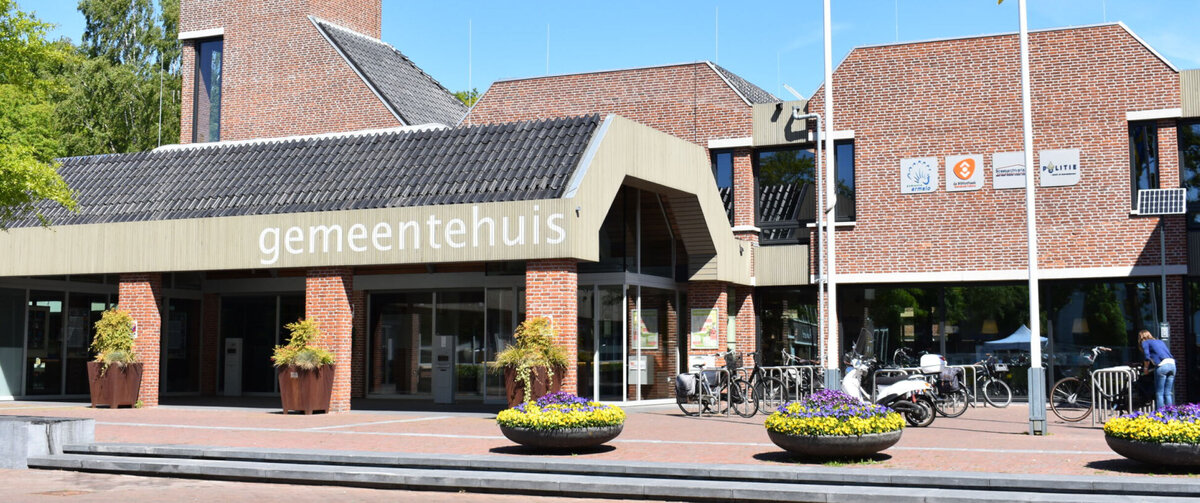
Meerinzicht is a collaboration between the municipalities of Ermelo, Harderwijk and Zeewolde. It bundles the most common tasks of a municipality into a single organization. These are social matters such as care, work & income, apprenticeship matters and youth assistance (social domain), but also in the field of taxation, facility services, finance, building management, HRM, computerization & automation, communication, legal affairs and geo-information (business management domain). This results in a substantial amount of forms, documents and letters, something that SmartDocuments likes to make a bit smarter.
Collaborating with other municipalities and combining your tasks in one organization offers the necessary advantages. Nevertheless, it remains quite a challenge. Tanja Arends-Dirksen knows that like no other. She started working as an application manager for the municipality of Zeewolde in 2011. The decision to work with SmartDocuments had already been made then. All that was missing was an application manager to realize the implementation. That’s when Tanja came into the picture. In 2015 her work was transferred to Meerinzicht, where she has been working with her colleague Jeanine Lowie for many years. Tanja: “Together we support our colleagues in the world of document creation.”
Four Times SmartDocuments
As an application manager, Tanja is in the midst of the complexity that working with three municipalities brings to their own organization: “You can see how each organization needs its own approach. It would still be too complex to really form one organization. Municipalities are different from each other, they each have their own identity”. In order to manage everything from a central organization such as Meerinzicht, a system like SmartDocuments is actually indispensable. Every organization now works with its own version of SmartDocuments, with templates developed specifically for them. “This means you can always be sure that the corporate identity is correct, that the articles or terms stated are correct and that everything is well archived and retrievable afterwards. That gives you peace of mind and certainty”.
“In the meantime, a real ‘like knows like’ feeling has arisen. Service desk staff know us by name and I know that my problem is dealt with immediately. One push of a button and I have my answer.”
Flexible Working with SmartDocuments Web
Lately, Meerinzicht and SmartDocuments have been mainly focusing on ‘efficient and business-oriented working’ in the cloud. This can be done using the web application of SmartDocuments. The transition has been on Tanja’s wish list for some time now, and not without reason. It offers Meerinzicht flexibility that is desperately needed: “Meerinzicht does not have its own premises. That’s why our employees regularly work at different locations, spread across the affiliated municipalities. Regardless of which municipality you’re in at the time, or when you’re working from home, you have to be able to get on with your work. When we decided to go this way of working, we made a conscious decision to do so with SmartDocuments”, remembers Tanja. The main motivations were the good existing cooperation and compatibility with other systems: “SmartDocuments is integrated with business system Liber and document management system Corsa. You get in using a single login. That is so easy for our users. In addition, SmartDocuments Web is clear and user-friendly. It’s very nice to have an application with which you can harmonize everyone’s work. SmartDocuments does that for us.”
“It’s like working with Google, but in your documents and templates.”
Long Live the Search Function
What Tanja thinks is the most important addition of SmartDocuments Web? “At the moment I am discovering all the options and possibilities, but especially the search function is really a godsend!” she sighs. “It’s like working with Google, but in your documents and templates. With a simple search, I arrive at the right document. By the way, the building blocks of those templates are also getting smarter and smarter. I no longer have to look at them one by one to see if it’s the one I’m looking for; the search function already makes that clear. That saves a lot of clicks. What’s more, it’s nice to know that everything can be found digitally. Those large cabinets with hanging files and dusty archives? Fortunately, they are a part of the past now.”
Constant Innovation Layers
“We have been working together for nine years. In that time we have experienced enough things together: the update of Liber, where SmartDocuments had to work for both versions, the transition from Corsa to Corsa NxT, various corporate identity changes…” Tanja mentions a few highlights. “Actually, it was a constant stroke of innovation… and we made a lot of strokes. It must also be a special situation for SmartDocuments. With multiple applications, environments and organizations that all have to be coordinated with each other. It’s nice to see how SmartDocuments deals with this; how we work together towards a solution and learn from each other”.
“In the meantime, a real ‘like knows like’ feeling has arisen. Service desk staff Geurt and Robert know us by name and I know that my problem will be dealt with immediately. One push of a button and I have my answer. We can always contact our project manager Linda and consultant Kees-Jan. Even if they don’t have an answer for me right away, I know that it will be looked at and worked on. I really feel that I am being heard.”
Keep Innovating Together
If it’s up to Tanja, she and SmartDocuments will continue to innovate. “At the moment, together with SmartDocuments, we’re investigating the possibility of going to one environment for all connected municipalities; a four-in-one environment. Theoretically, it’s possible, as long as you’re able to make the templates and all the applications involved smart enough to recognize which organization you are dealing with. We are now mainly investigating it, but who knows where we will end up together!”
Request a demo and discover how SmartDocuments could benefit your organization!
Simplifying and Enhancing Safety Reporting at Ejendals
Frank Samadani, Value Added Service Manager at Ejendals
Enhancing Customer Experience
Ejendals delivers safety gloves and safety shoes to customers and their workers around the world. Frank Samadani, a Value Added Service Manager at Ejendals, focuses on enhancing the customer experience Ejendals offers. “One of my areas of responsibility is the safety assessment service, where our safety experts identify safety hazards and risks in the workplace. We then provide a safety report with recommendations and solutions on how to mitigate risks of injuries.”
“Previously, we used Microsoft Word documents to guide our sales team to create the safety reports,” Frank says. “However, many users found this overwhelming, due to the template’s length and complexity. Especially for those not very IT-savvy, creating documents with the correct formatting could be challenging.”

The Team's Positive Attitude
“This prompted me to find a tool to simplify the creation of safety reports,” Frank continues. “The moment I saw the SmartDocuments website, I knew it was the right fit. The introductory meetings and demo that SmartDocuments provided, were equally promising. Both IT departments were involved early on to explore the tool’s capabilities, which was immensely helpful and allowed us to dive deep into our needs, comparing them to SmartDocuments’ features. We quickly established that we could make it work. I threw in a big challenge as I wanted to integrate our product database into SmartDocuments. They were quick to provide a demo showing how this could be achieved. The SmartDocuments team had a ‘Can-do!’ attitude, which I greatly appreciated.”
“After purchasing, we received an informative two-day training from their consultant,” Frank says. “We learned a lot in those two days. The implementation got a boost by SmartDocuments helping us build the framework of the document template for our reports. I’ve been told our report is by far one of the most complex ones, so having that initial support was invaluable. Working on the back-end of SmartDocuments and their template editor is easy once you get the hang of it. It requires no coding or programming, as it works with placeholders. During implementation, a few issues arose, but they were resolved efficiently, and the outcome worked out well.”
Significant Stepping Stone
Frank: “Our safety assessment is an optional, value-added service for customers. Previously, the complexity of creation reports often discouraged offering the service. Now, with SmartDocuments, the sales team is more inclined to promote it. While SmartDocuments hasn’t been officially launched internally yet, we’re excited about its potential, and those who have seen the tool are eager to use it. They see its simplicity and are confident that they can work with it. It is a significant stepping stone for our company, enabling us to provide this service more efficiently and in an easier way.”
“What I appreciate most about SmartDocuments is its simplicity.”
“Using SmartDocuments allows our safety experts to create reports in a more professional and structured way. The report includes tailored recommendations for suitable solutions. Thanks to an integration with out web-based Product Information Management system, we can insert product images, descriptions and performance scores directly into the report. SmartDocuments has improved the efficiency of our report creation process, producing professional-quality reports while saving us time.”
Strength in Simplicity
“What I appreciate most about SmartDocuments is its simplicity,” Frank concludes. “It’s powerful because it’s easy to use. I can update templates myself without having to reach out to the SmartDocuments team. This gives it a significant edge over other tools that require consultant support. When we do need assistance, their support team is great – always available and eager to help.”
Request a demo and discover how SmartDocuments could benefit your organization!
Document Creation and Automation by Municipality of Zwolle with SmartDocuments
Alwin Flim, Municipality of Zwolle
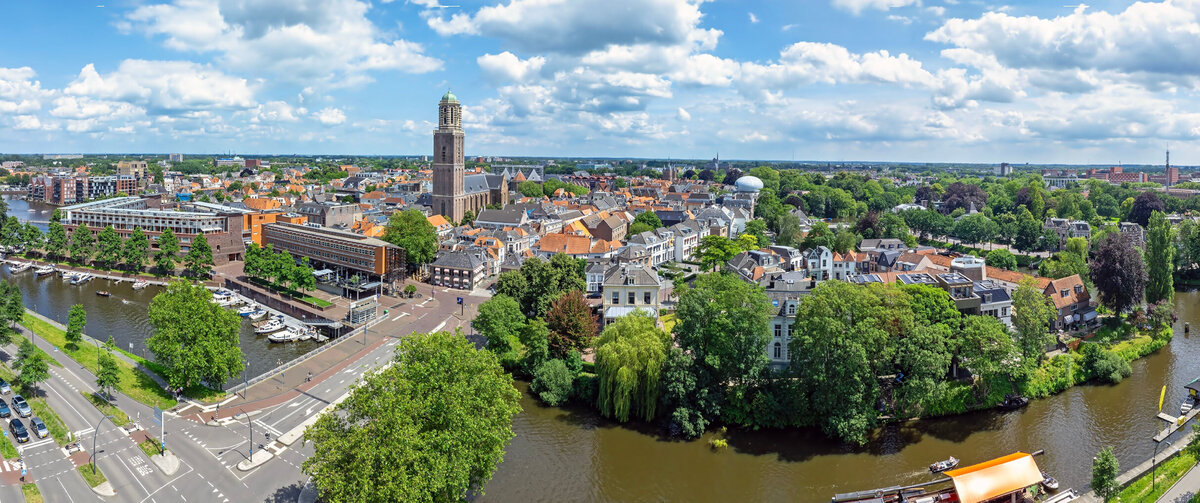
The Municipality of Zwolle Has Upgraded from Desktop to Web-Based SmartDocuments. The municipality benefits from efficient document creation for the entire organization. This is a necessary step in the further automation of several processes within the municipality. With the help of SmartDocuments, 900 templates will be available for the employees of the municipality.
According to Alwin Flim, adopting the SmartDocuments Web solution is an important step towards better document creation. “In the past, people had their perfect letter stored somewhere. This was solved with the desktop-based software for document creation by SmartDocuments. We shifted to the cloud and the Web-based SmartDocuments software. Document creation will remain important for the growth of our organization. That’s why I’m happy with the steps we’re taking. With the Web-based application of SmartDocuments, we can serve our people a lot better. The chosen solution should fit them, but also be efficient and make it easy to maintain our corporate identity. It’s definitely not about bothering people, but about giving them the tools to manage work tasks more easily.”
Balance in Template Management and Document Creation
In total, Zwolle has 900 templates that are used to a greater or lesser extent. “In fact, the core of template management and document creation was solid. However, every system needs to be cleaned from time to time. We were seeing an increase in templates. So, through consultation, we identified the most commonly used templates. We also looked at which elements were used in the templates. In the first phase of the transition, we mainly looked at finding a balance. We dropped templates that had been created some time ago but were since then never used again.”
“I’m happy with the steps we’re taking. With the Web-based application of SmartDocuments, we can serve our people a lot better.”
User Interface
Templates reviewed included permits and contracts. Even the usage and frequency of legal letters have been taken into account in the decision-making process. “Everything went smoothly. We’re now going into a process in which we explicitly examine the look and feel, the user interface and, for example, whether we’re going to use an online library. This is one of the software updates where we see the benefits of the new SmartDocuments application. It’s more user-friendly and, above all, more logical.”
Knowledge and Skills
“During the process, we made extensive use of the expertise of SmartDocuments. What’s particularly positive is the knowledge and skill they’ve put into this project and the way they’ve set up the service and help desk. They’re ready to help immediately.” The entire project was completed in the first quarter of 2019.
Request a demo and discover how SmartDocuments could benefit your organization!
Reducing Administrative Burden and Ensuring Clear Communication
Marjolijn Winter, Quality Advisor at Lariks
The inhabitants of Leusden can find the answers to all their questions related to these topics in the social domain of Lariks. In twelve years time, it has become a household word among the inhabitants of Leusden.
Lariks was established twelve years ago as an initiative of, among others, the Leusden housing foundation, home care and municipality. The goal was to be able to answer healthcare questions better and faster through cooperation between different parties. The initiative started with eight employees and has since then grown to the point where there are fifty employees. In the early days especially, the approach in Leusden was unique: one place for all questions concerning care. With the arrival of the Participation Act, the initiative has been followed by many municipalities, because especially in healthcare it is most important to work together and learn from each other.
Combining Healthcare
Marjolijn Winter, Quality Advisor Lariks Care and Welfare, has been involved with Lariks from the beginning. “Actually, it’s an obvious approach. When asked for help, it makes sense to take a broader look. Where does a question come from? When it comes to healthcare at home, the next step is to check whether more is needed. When it comes to debt relief, it’s important to understand the social background. Through practice, we know that people usually wait too long. So, Lariks had to become a safe place to ask those questions. By looking across the board, you can combine healthcare, welfare, living and upbringing. And that’s what makes it possible to provide tailor-made care.”
“With the help of SmartDocuments, we’ve really been able to take steps in that direction. The system has reduced our administrative burden, and more importantly – and this’s what it’s all about in the end – it has made it possible to give the people of Leusden unequivocal answers.”

Always Listening
Lariks gained momentum when in 2015 legislation and regulations on healthcare, participation, youth assistance and appropriate education changed. Municipalities were given a central role in this. And because there was already a platform in Leusden, in consultation and in close cooperation with the Municipality of Leusden, Lariks was partly entrusted with the implementation of the Youth Constitution, the Social Support Law and the welfare policy. “One of the aims of the changes was to allow residents to participate as much as possible in society. We are for sure not the extension of the municipality, but more of a listening ear.”
“Forms and documents were often copied and pasted until we started to use SmartDocuments.”
Professionalization
With the changes in legislation and an increasingly important help desk, further professionalization became necessary. “There was an increased administrative burden on our employees. Forms and documents had previously often been copied and pasted. It made the need for uniformity and unambiguousness greater than ever. Since we work with applications and decisions, they have to be the same, but they also have to be filled with appropriate information. SmartDocuments was chosen to create and secure the documents. We’re also working on the further development of our customer monitoring system with MensCentraal, which also has a requirement for documents. The integration with SmartDocuments solves this problem easily. The funny thing is that it doesn’t even involve a lot of documents. In total, there are about 25, but for our organizations, and from a legal and regulatory point of view, it’s very important that they have a clear format and contain the right information. With the help of SmartDocuments, we’ve really been able to take steps in this area. The system has reduced our administrative burden, and more importantly – and this is what it’s all about in the end – it has made it possible to give the people of Leusden unequivocal answers.”
Request a demo and discover how SmartDocuments could benefit your organization!
Minimizing Clicks and Maximizing Consistency with SmartDocuments
Heleen van Dokkumburg, Functional Manager at Utrechtse Heuvelrug
From data entry to quality control, recent years have seen a shift in the kind of work performed by the Data & Information team at the Municipality of Utrechtse Heuvelrug. Whereas for years their work mostly involved inputting data, it now mainly concerns checking for quality. This represents a new way of working that leaves more time for what truly matters.
The Municipality of Utrechtse Heuvelrug was founded in 2006 during a municipal reorganization, where the villages of Leersum, Doorn, Amerongen, Driebergen-Rijsenburg, Maarn, Maarsbergen and Overberg were merged into a single municipality. From the very beginning, their offices were working with SmartDocuments’ software, which had been passed down from the former municipal structure. It was welcomed with open arms and, to this day, it has proven to be a great asset to the municipality.
An Advantage in the Midst of Change
The city hall of the Municipality of Utrechtse Heuvelrug is situated in a wooded area in Doorn. “It’s such a treat to be able to ride through the woods to work every day,” beams Heleen van Dokkumburg, functional manager at the municipality. Heleen has been involved with the municipality from the very beginning and has been working with SmartDocuments’ software for many years. When she first started her job, it was all still quite new.
Heleen: “I had taken a course with SmartDocuments before the reorganization. I was still working for a different municipality at that time. When my new co-workers and I started working at the Municipality of Utrechtse Heuvelrug in January of 2006, it was our first real experience with SmartDocuments. None of us had worked with it before.”
A new municipality, new workplace and new co-workers. To top it all off, there was also a new software to reckon with. According to Heleen, that was actually an advantage: “When everything is different, you’re not rightaway going to notice that there is also a new software program to learn. Because everything is new. In the midst of so many changes, it didn’t really come as much of a shock. One single isolated change can sometimes be more disruptive than a whole host of changes all at once.”
“It’s great to be able to store all your documents in one single, centralized location. It means changes are also centralized. This helps keep the corporate identity consistent and avoids having everything scattered across different drives.”
Maximize Building Blocks, Minimize Clicks
The Municipality of Utrechtse Heuvelrug essentially gets all of its documents from the SmartDocuments software, with only one exception. Heleen: “It’s great to be able to store all your documents in one single, centralized location. It means changes are also centralized. This helps keep the corporate identity consistent and avoids having everything scattered across different drives.” As the functional manager, Heleen grants and revokes permissions, fitting to the situation. She links SmartDocuments to other systems where needed, creates templates and advises her co-workers on the system. In addition, she also makes sure that everyone is using building blocks whenever possible. “Our goal is to reduce the number of clicks for our co-workers,” explains Heleen. Years ago, changing an account number could be a very time-consuming affair, as you had to update each document manually. Then SmartDocuments provided the municipality the solution. “SmartDocuments makes it quick and easy to change default data in all of the documents. Whether it’s an account number or a font, when you update a building block, the system applies the change to every template linked to that building block,” she explains
SmartDocuments Web
Because everyone in the municipality is familiar with SmartDocuments, they don’t usually experience minor changes and updates in the system as a hindrance. Everyone knows their way around SmartDocuments, so they typically manage to adapt to changes in the software quickly.
“However, for the transition to SmartDocuments Web two years ago, we really had our work cut out for us,” admits Heleen. This transition, the most recent major change, saw its fair share of snags along the way. Heleen: “It didn’t make much of a difference when it came to creating templates. It was mainly about getting used to the system. For example, the new way of logging in, which did pose a challenge for our co-workers in the beginning. The minor issues that popped up were quickly resolved. Yet, at the end of the day, the users didn’t notice the overall transition at all, which I think is the most important thing.” The SmartDocuments software is now linked to the case management system. For users, this means they do not have to log in to SmartDocuments, just into their own (familiar) case management system.
A Grand Exit for Data Entry
The link to the case management system has reduced manual data entry to a minimum. “If, for instance, a resident of our municipality applies for an event permit, it appears in the case management system. The system immediately adds the available information and delivers a fully formatted document, including the decision, to the designated employee. There isn’t much left for the employee to do. The content is there, and the template is correct. Now the answers just need to be checked, after which the letter can be sent to the applicant as a fully valid, legal document. It can also be sent digitally, if preferred,” Heleen points out.
“The content is there, and the template is correct. Now the answers just need to be checked, after which the letter can be sent to the applicant as a fully valid, legal document.”
Popping In for A Visit
Heleen: “We’ve been working with SmartDocuments for a very long time now. We know each other well and the lines of communication are short. Personally, I think it’s an excellent partnership.” One contributing factor here is that the collaboration is not just remote. People from SmartDocuments also actually ‘pop in’ for a visit at the municipality. During the implementation process, consultants were also on hand at the office in Doorn to offer advice as well as to train municipal staff. “The fact that people from SmartDocuments were here physically was a major plus to me,” emphasizes Heleen.
BeingSmart: A Behind-the-Scenes Look
Since September of this year, Heleen has been the chairperson of the SmartDocuments usergroup, BeingSmart, a role that she is delighted to have: “I love being close to the action, getting to know my peers and being involved outside of my own position. As the chairperson of BeingSmart, I have the chance to become a volunteer advocate.” For Heleen, BeingSmart is a great network and an excellent opportunity for peers to learn from each other. She especially enjoys getting a look behind the scenes: “The grass isn’t always greener on the other side of the fence. All organizations have their issues.” Members of the usergroup have the chance to contribute their ideas on the SmartDocuments software. Heleen: “We get to submit our requests for the development of the SmartDocuments software. You can usually do this as a client with other providers as well, but SmartDocuments actually does something with the ideas.”
“We get to submit our requests for the development of the SmartDocuments software. You can usually do this as a client with other providers as well, but SmartDocuments actually does something with the ideas.”
Tackling Truly Complicated Matters
It is no secret that Heleen would like to continue the partnership with SmartDocuments in the future. “I’m happy with our current collaboration and hope it continues. I can’t imagine why it wouldn’t,” muses Heleen. She’s looking forward to plenty of exciting developments that will make her work even easier, allowing her and her co-workers to increasingly focus on tackling the truly complicated matters. Heleen: “Our ultimate goal is to provide the best possible service to our residents. That’s what we’re here for.”
Request a demo and discover how SmartDocuments could benefit your organization!
One Central Document Generation Tool for Sweden's 21 County Administrative Boards
Elisabeth Mustonen, Template Manager at Länsstyrelserna
Sweden’s 21 county administrative boards cooperate on a national scale to work more efficiently. One way for the organization to do this, is to use SmartDocuments for document generation and template management. Elisabeth Mustonen is a template manager at Länsstyrelserna and shares her experience on working with SmartDocuments.
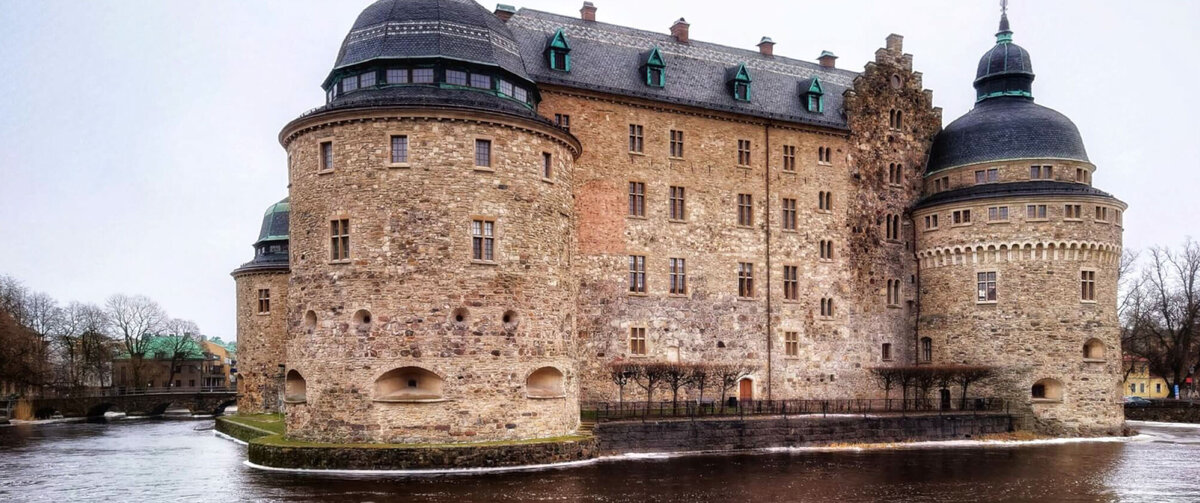
Länsstyrelserna is the collective name of the 21 county administrative boards in Sweden and has almost 8,000 employees. Each county board is an autonomous authority, but because of the Swedish government’s mission to work more efficiently, all boards cooperate in a nationwide IT organization. The authorities serve both civilians, businesses and other organizations, and send out huge amounts of documents, such as reports, decisions, and requests for application details. The scale on which Länsstyrelserna generates documents and the need to work more efficiently and uniformly, prompted them to procure SmartDocuments.
Centralized IT Infrastructure
“Before, every county board had their own responsibility for creating documents. This means they all had their own solution; perhaps using templates in Microsoft Word, perhaps some template software tool, or simply reusing old documents. It was different for every board,” Elisabeth says. “The starting point which eventually led to the introduction of SmartDocuments, was the formation of a central IT department for all county boards. Once the IT structure was centralized, it made sense to look for a central template tool for all county boards. After all, the boards do the same business and should express themselves in a uniform way.”
Using the Same Templates for All Boards
SmartDocuments was introduced to the organization in 2011. Elisabeth first worked with the software as an end-user and she became a template manager in 2015. “Nowadays we are a team of four people, managing document templates parttime for the whole organization. I work 50% of my time as a template manager in SmartDocuments. The other 50%, I work as a county veterinary. The other three template managers spend 25% of their time each on SmartDocuments. So, in total we are 1.25 template managers supporting 8,000 people with 350 templates (and growing). We create new templates and we change existing ones, for example when legal text needs to be updated.”
“It is very nice to be able to use the same templates for all boards,” she says. “We have about 350 templates across the organization. Some of these templates are used very often. In one year, our most frequently used template has generated over 52,000 documents. That is a huge amount, and there are many like this one that are often used.”
“There is no risk the user forgets to change a name or a date.”
An Extensive Tool
“When I started making templates, my perception of SmartDocuments changed. The product is much more advanced than I initially thought! There is just so much you can do with it,” Elisabeth says. SmartDocuments is integrated with three different Case Management Systems Länsstyrelserna currently uses. “The integrations with our Case Management Systems are very good, you can trust that information is retrieved correctly. Compliancy is of huge importance in our organization. With SmartDocuments, there is no risk the user forgets to change a name or a date like you would when reusing an old document. The fact that we can ensure that our documents are correct is really the biggest benefit of SmartDocuments.”
Developing & Cooperating
“We are still developing in some areas and making sure everyone sees the benefit of working with the software tool,” Elisabeth says. “A year ago, we migrated to the web version of SmartDocuments. The added preview function was a huge improvement. It makes it fast and easy to test your template. A new development is also that we can see which county is using which template, and which isn’t using a template at all. This is helpful information, because now we can pursue them to start using it, improving our efficiency and making the whole organization expressing themselves in a uniform way.”
Elisabeth is happy to be working with the organization of SmartDocuments: “Whenever we have questions, we get a quick reply from our SmartDocuments consultant. He has also helped us develop a lot of templates and he trains new developers in using the software. It’s a very good cooperation. Also, the technical support is very professional,” Elisabeth concludes.
Request a demo and discover how SmartDocuments could benefit your organization!
Benefitting from Efficient Document Creation Throughout the Organization
Nico Huisman, IT Consultant at Groningen

SmartDocuments Migrated 3500 Templates
to the Web Application for the Municipality of Groningen.
The municipality benefited from efficient document creation throughout the organization.
The Municipality of Groningen has realized a successful transition to the SmartDocuments Web application. In the course of one year, all departments switched to the new system for document creation. Using a careful project approach, in which the municipality and SmartDocuments acted as partners, the new system was flawlessly commissioned.
KPN ICT Consultant Nico Huisman was project leader for the conversion and migration of the Municipality of Groningen to the Web version of SmartDocuments. “The Municipality of Groningen already used SmartDocuments for the creation of documents. The application is deeply connected with the municipality’s automation system. Through customization and changes over the years, all kinds of connections were created; changes to documents, corporate identity, you name it. The transition of the municipality to Microsoft Office 365 was decisive for the transition to the Web application of SmartDocuments.”
“The application is deeply connected with the municipality’s automation system.”
Template Management
“The Municipality of Groningen communicates with its citizens by means of letters, among other things,” continues Nico. “A total of approximately 3,500 different templates are involved. From a building application to information about a possible nuisance. You can imagine how many steps are required for a building permit application. For example, each application is given a unique ID in the confirmation of the application. In addition, specific documents are referred to such as the zoning plan. At this point you’re probably starting to see the complexity of the migration from an inhouse environment to a Web application. Existing templates and links had to be converted to the new version of SmartDocuments. This had to be done municipality-wide, from the social domain, to the permits section and the legal department, for example.”
“I’ve found the cooperation to be very constructive. Listening to one another, you develop a partnership that becomes stronger and stronger.”
Document Inventory
In consultation with SmartDocuments it was decided to take an investigative approach. “A great deal of time and energy was invested in the inventory of all documents, looking at the various links as well as the layout, corporate identity and the correct retrieval of data from other information systems. The guidance of SmartDocuments was indispensable. First, we organized a meeting to identify the problems we anticipated. By doing this together, the knowledge and skills of both parties were combined, and the advantages of the new version became visible. It was also important that the employees of the municipality were given the opportunity to express their concerns. From that moment on, we started to move forward together. We outlined the process and were able to make the right decisions based on feedback from the employees.
Step-by-Step Conversion and Migration
The conversion and migration of the older version of SmartDocuments to the Web application has been carried out step by step, department by department, and not all at once. “We did so with reason. It allowed us to constantly adjust and learn during the process. Plus, this kind of approach reduces risk. Problems that we encountered, such as a certain call to a server that was not processed correctly, could be solved immediately. In addition, SmartDocuments was able to respond to questions from the field by adapting the software. They have become generic solutions, which they now also use for other municipalities and government institutions. These kinds of functional challenges mean that the SmartDocuments software is constantly evolving and has functionalities that actually make it unique. I’ve found the collaboration to be very constructive. Listening to one another, you develop a partnership that becomes stronger and stronger. At the end of the day, we do it for the citizens of the municipality of Groningen. In the future we can continuously serve them properly, thanks to the system.”
Request a demo and discover how SmartDocuments could benefit your organization!
Drafting Accurate Documents Efficiently in a Standardized Way
Ben Keizer, Prehospital Care Coordinator at Contra Costa Health
Carrying out the licensing and regulatory responsibilities as an EMS agency requires accuracy and efficiency in drafting documents. Ben Keizer from the Contra Costa County EMS Agency offers insights into the challenges encountered prior to implementing SmartDocuments as the agency’s new document creation solution and discusses the results of working with SmartDocuments.
Ben Keizer is the Prehospital Care Coordinator at the Contra Costa County EMS Agency. “As a program manager, I manage license interactions, certification and accreditation, investigations into misconduct, and the public safety first aid oversight program for the county. I am also the administrator for the Agency’s licensing software,” Ben introduces himself. “We send out a good amount of notices daily in the agency, for example, in investigations, and to renew, cancel or revoke licenses. We also create complex legal documents for accusations and pleading documents. Aside from the documents we send out to the people we license and regulate, we also put out memos and bulletins to the public.”
The Challenges of Manually Adjusting Documents
“Previously we had a library of Microsoft Word documents as templates, separated into different categories,” Ben continues. “When needing to send out a notice or document, I would take a template, save as, and modify. In time, I would highlight the places where I needed to go in, so that when I would open a template, I knew what I needed to change. However, we’d find that our accuracy was lowered, because we would manually adjust each piece of a document and mistakes slip in easily. We would spend a lot of time to get a template out, and we’d end up with little variations between templates and forget which one was the correct one. So not only did it take a long time, we were not as accurate as we wanted to be.”

Standardized Documents
“This prompted us to look for a solution to reduce our template count, to increase our efficiency and accuracy, and to standardize our way of working,” Ben explains. “With SmartDocuments, we have a library of standardized document templates.”
“The output is complete and looks the same every time.”
Boosting Accuracy and Efficiency
“SmartDocuments gives us the ability to connect data to our output and this output to our Document Management System (DMS),” Ben continues. “We combined this with SmartDocuments’ module for Multi-Document Output. This for example allows us to batch our EMT license notices, where before we had to segment based on different license statuses. Now, we push a report on the licensing in XML from our system, SmartDocuments reads the XML, recognizes the license status and automatically populates different data points in various documents. From here we output it and it goes to our DMS, or other repository to get processed.”
The Template is Always Leading
Ben: “As a government agency, we do a fair amount of public comment. This process is standardized in SmartDocuments. The output is complete and looks the same every time. The same goes for working with people outside our division on our more complicated legal documents. We are also able to separate the document templates and users into groups. This prevents individuals from seeing content that is irrelevant to their needs or duties.”
Request a demo and discover how SmartDocuments could benefit your organization!
Convert Resumes to the Correct Style using Smart Automation
Hasan Kazem, Information manager at GrowWork Group
GrowWork Group is an HR service provider and trainer in various sectors. The company was looking for a solution to smartly convert resumes into resumes with the correct branding and found SmartDocuments. Hasan Kazem from GrowWork Group explains how the company efficiently adjusts resumes with SmartDocuments.
“As a staffing agency, we connect professionals with organizations in various markets,” says Hasan Kazem, Information Manager at GrowWork Group. “We provide staffing services in healthcare, government, housing associations, and education. Additionally, we coach individuals in career mobility towards new jobs and handle recruitment and the selection of candidates. For example, we forward job vacancies from organizations and receive applications for these vacancies. We then strive to find the right candidate. We also search for the right job vacancies for the professionals associated with us. This way, we contribute to social services for the public domain.”
Automating Resume Conversions
“On the vacancies we forward we receive many applications. A standard part of an application process is to submit a resume,” Hasan continues. “We believe it is important that when we forward a resume to an organization, it is presented with appropriate and professional corporate identity. This way, our professionals are recognizable, and including the corporate identity in the resumes contributes to the quality we aspire to maintain. Moreover, each professional structures their resume slightly differently. That’s why we convert the resumes we receive into resumes with the correct branding. We used to do this manually: cutting data from the resume and pasting it into a version in the correct style. This method was error-prone and time-consuming. Additionally, we have 5 different corporate identities, each with their own focus. Therefore, we sought a way to automate this process, and that’s how we came across SmartDocuments.”

User-Friendly with Minimal Management
GrowWork uses SmartDocuments in combination with a technical integration with Textkernel. Hasan explains: “Textkernel identifies and classifies data from resumes, and SmartDocuments then processes it to output with the correct corporate identity. In the SmartDocuments Wizard my colleagues simply select the style to which the resume should be converted, and with one click the document is ready. They do a final check to see if everything is correct and they add the personal summary – that still is a human task. The solution is simple, but it saves a lot of time. The system is user-friendly, and managing the document templates takes minimum effort. The software is reliable and works how we want it to work. Additionally, we receive good support from SmartDocuments, for example at the beginning of the process, when we first started setting up the templates. SmartDocuments’ employees respond quickly and are knowledgeable in providing solutions.”
A More Efficiently Executed Business
“This method of converting resumes works super efficiently,” says Hasan. “Where we used to need about an hour per resume, we can now convert them in a few minutes. It saves our teams a lot of time and allows them to focus on other, more enjoyable tasks. Additionally, it minimizes manual errors, and all our resumes look good and professional, truly representing our company. We can quickly respond to customer requests because we are well prepared with the right candidates and their resumes. In situations where we have found the perfect candidate but do not have a converted resume yet, we can convert it in no time. From a commercial standpoint, we can now execute our work better and more efficiently. This also a significant added value to using SmartDocuments, that makes that we are very satisfied with this solution.”
Request a demo and discover how SmartDocuments could benefit your organization!
Document Automation: The Key to Saving Time
Steph Hamel, Financial Controller at The Travel Corporation Limited (TTC)
Less room for error and less manual intervention. Steph Hamel works for The Travel Corporation and shares her story on how SmartDocuments is a major time saver when compiling documents.
The Travel Corporation Limited (TTC) is a global travel company selling and operating trips under forty travel and hospitality brands. These brands offer escorted tours, independent travel, hotel groups, a river cruise line and more across the globe. Those forty brands and regions are the reason why a tool such as SmartDocuments is so welcome to Steph and her colleagues.
Booking Conditions and Compliance
Part of Steph’s role at TTC is to look after booking conditions. “These are the terms to which a customer agrees to travel with the brand,” she says. “This includes the key terms such as payment and cancellation terms, what to expect when travelling with us etc. – everything goes into the booking conditions and it is an essential document to our communication with our customers. The booking conditions are based on a single template tailored for each brand and each sales region while maintaining a consistent level of global compliance.” Steph continues: “We are truly a global organization. There are certain laws and consumer protections that we need to follow, wherever we are selling and wherever we are operating. We have to make sure that we are compliant with those, along with our obligations and such. It means that every document always needs to be up to date and fully correct.”
One Change Times Forty
Compiling the documents was a time-consuming task before SmartDocuments was introduced, Steph tells us. “It was horrible. Truly, truly horrible,” she says. “We have five escorted touring brands that effectively have the same booking conditions. Each of those brands sell in eight to nine regions, meaning there will be differences in the language and terminology we use for the brand. Next, you have to think about the local legislation that we are selling under, and then finally, although it is all English, it can be British English, American English, Canadian English, etc. Is it tips or gratuities, cancelling or canceling, s’s or z’s? So we have eight to nine versions of the same document, times five for every brand. And it’s all the same document. Meaning that if there is one change that needs to be made, you change it forty times, in each separate Word document.”
“The time saving has been immense. Especially now that we have more things to do with less resources, less people, less time.”
Getting Started
Looking for a way to make the process more efficient, TTC first searched for internal solutions, but the project did not succeed, the customization required was too complex. “Then I did a simple Google search on document automation and I found SmartDocuments,” Steph says. “It felt like their software would be a good fit for what we were looking to solve. The demo that was provided by SmartDocuments was great, it was nice and easy.” The software was installed without any issues. “It went well and was pretty straightforward,” according to Steph. “Then we had the training which again was really good. The trainer was really approachable, really knowledgeable. I then had some help with setting up the templates, for which I want to give a massive shoutout to the organization for all the support. I am now able to manage the system and change things if need be. So, it’s been a surprisingly painless experience.”
Automation and Time Saving
“Since we are up and running, it has been fantastic,” Steph says. “The time saving has been immense. Especially now that we have more things to do with less resources, less people, less time. As the Covid-19 situation and the requirements in each location have changed, we have needed to be really prompt at updating those booking conditions and getting them on our website as quickly as possible. Our booking conditions had to change frequently and you can imagine the frustration of having to change just a couple of words but having to do it forty times, versus the joy of changing it in the template, click and go. It automatically exports all the documents, I can send them out and it’s done.”
“I love this product! It is definitely easier than how we used to work.”
Flexibility and Less Room for Error
“SmartDocuments is allowing us to be more flexible than we had been,” Steph emphasizes. “We had a process of only allowing changes on an annual basis, because of the time investment required. Now, because it’s so much quicker, we are more flexible in being able make a quick change and reissue them. What used to take me couple of hours to update, now takes me only ten minutes. That is one change in forty different documents. Another thing is that, because you are not making the changes manually, there is less room for error. Less manual intervention, the less opportunity I have to make an error. You make the change once, you export it out and you know it’s right. The time saving when we are really stretched as a team because of staff loss, has been immense.”
A Game Changer
Steph will be recommending SmartDocuments throughout her organization. “Automation has been the game changer for us. I have come up with a few other areas of the business we could use this solution and I will be promoting it to our efficiency committee as well. We are a quite a big organization, there might be other opportunities for instant time saving with SmartDocuments. It’s really a no-brainer for us.”
“I love this product!” Steph concludes. “It is definitely easier than how we used to work. There is less room for error and less manual intervention. You can trust it’s right.”
Request a demo and discover how SmartDocuments could benefit your organization!
A Flexible and Dynamic Solution for Polished Quotations
Chris Nieuwenhuize, Sales Engineer at GREEFA
GREEFA is the market leader in sorting technology. The sorting and packaging installations the company produces are complex and include a wide range of options. This involves intensive production procedures that make the associated quotations process considerably more complicated. GREEFA began looking for a new solution for their quotations process, in the hope of creating a dynamic tool with plenty of graphical options.
With its origins as a cartwright workshop in 1940, GREEFA has grown to become one of the world’s largest manufacturers of high-tech sorting and packaging machines. From its head office in Tricht in the Netherlands, GREEFA develops and produces innovative sorting and packaging solutions for fruit and vegetables for its clients all over the world. Everything is done ‘in house’ – from designing the machines to writing the software.
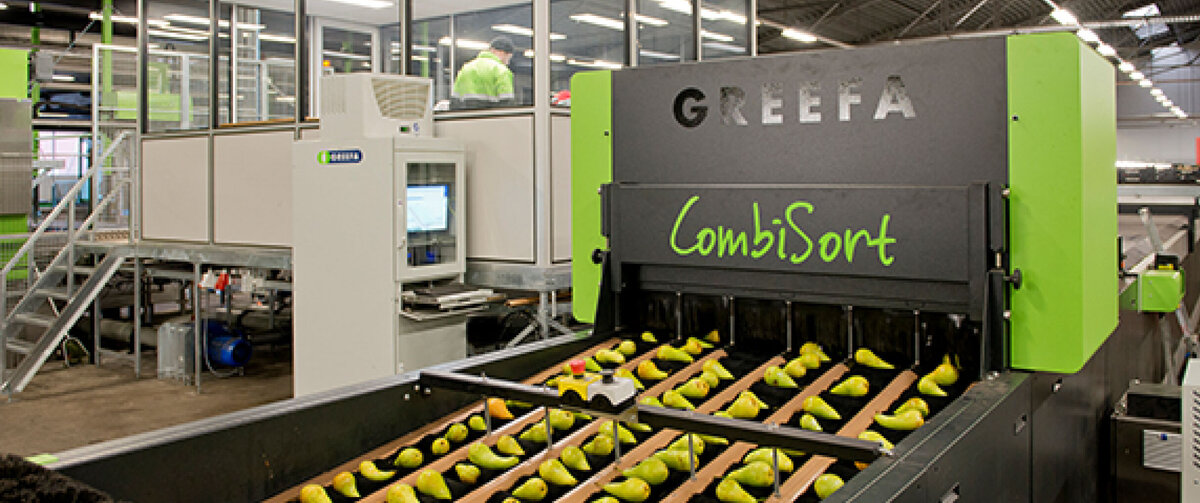
Customised Quotations
Chris Nieuwenhuize, sales engineer at GREEFA, knows better than anyone how complex a quotation process can be. The myriad of possibilities that GREEFA offers in combination with the specific requests from the client often lead to very extensive quotations. Chris: “In the Sales Engineering department, we determine the layout for sorting and packaging machines. This involves a number of factors, including the amount of customer space available. That means it is virtually always a matter of custom work.” After creating the 3D layout and determining the prices for the project, a quotation can be prepared. Chris: “This commercial quotation includes a presentation of the solution offered, accompanied by project-specific information, as well as the terms of delivery and payment. These are imported via XML from the CRM area of our ERP system.”
The search for a Dynamic Solution
For the last part of the quotation process, preparing the actual quotation, the Sales Engineering department worked with a text configurator. When this needed replacement, they began looking for a better alternative. Chris: “With the old text configurator, we had to work with a programmer. For us, that was one disadvantage of using that system. Also, the programming language was no longer particularly common.” Finding a new supplier felt like the logical next step: “The layout and style of quotations have to be updated from time to time. The quotations have to be attractive and suit your product. The story has to be just right”, says Chris. Together with his department, they set out to find a solution that was capable of creating nice documents based on existing data. Their search led them to SmartDocuments. Chris: “Ultimately, we chose SmartDocuments because it is not an overly difficult configurator. Also, the software is very flexible when it comes to layout.” Most of all, it was the extensive graphical options, Chris emphasises, that they were missing with the old text configurator. “We were not looking for a static solution. Our business is constantly evolving. That means we often need quick solutions for new text blocks or a new style or example. With SmartDocuments we can do that ourselves”, he explains. “In addition, we create our quotations in six languages. This is something the new package also had to be able to do”, he adds.
Another reason for choosing SmartDocuments was the ability to use captured data. This means that the user only sees questions about subjects that still require information. This was an option with the former solution, and this also needed to be the case with the new supplier.
“The layout and style of your quotations have to be updated from time to time. The quotations have to be attractive and suit your product. The story has to be just right.”
Getting the Most Out of the SmartDocuments Software
The quotation options that GREEFA requires push the limits of the SmartDocuments software, meaning that the implementation process was quite a challenge. Particularly on the SmartDocuments side. Chris: “We sent in our data model and it was up to SmartDocuments to translate it into their software. This was followed by several tests. Meanwhile, on our side, the query needed to be created to extract the required information from our database as input for SmartDocuments.” The implementation process required quite an effort, but ‘the product was worth it,’ as Chris puts it. “There were also implementation processes on top of that, which means it is always a bit hectic and intense. But the software works as we want it to”, he emphasises. In the meantime, GREEFA is working with a much more expanded version of SmartDocuments.
Issues After System Update
Chris: “The complexity of the entire situation appeared to be quite considerable, but that was to be expected. In essence, we didn’t experience any major bumps in the road during the implementation. At least nothing that you couldn’t have expected.” So what issues did they encounter? “A lot of little things”, explains Chris. “Choices such as ‘how to build the template’. Typical things that are part of a process like this. In the end, we had a nice flexible solution.”
A bigger hurdle occurred after the initial implementation. When the ERP system from GREEFA was recently updated, it appeared (just before the go-live) that the output from the CRM system had been modified. As a result, the table values were no longer provided in Dutch, but only in English. These table values are used to control the different questions in SmartDocuments. Because of the language change, the XML then contained different information than was initially built into the templates. This then caused some issues. The problem has now been temporarily resolved by manually replacing the English values with the Dutch values, but that is not really future-proof. Chris: “We ultimately want to make the model language-independent. We have the choice to do this ourselves. But it is likely that this question will be put to SmartDocuments. It is better to leave model adjustments to the people who work with it every day.”
Outsourcing Template Creation
Is it better to work on the required document templates yourself or to outsource them to SmartDocuments? That was something that GREEFA was not entirely sure about. Chris: “We are not a typical customer for SmartDocuments. When configuring our quotations, everything impacts everything else. There are so many exceptions. And there even are exceptions to that, too.” Due to the complexity of the quotation process, GREEFA decided to leave the template creation to SmartDocuments. Although this was no easy task even for the experienced template designers at SmartDocuments, it was feasible. “We are glad that we outsourced it. We can certainly manage with this template”, says Chris. GREEFA can easily get to work using the template provided and any adjustments can be made in no time at all. This is a huge advantage as far as Chris is concerned: “It’s nice that we don’t have to call the helpdesk for every single change.”
More Options and Greater Manageability
For GREEFA, the main benefits of working with SmartDocuments are the graphical options the software offers. It’s a great step when it comes to professionalisation, according to Chris: “We replicated what we already had, but with SmartDocuments there are even greater options and manageability. We have become more flexible and can expand in terms of layout and graphical options.”
“You don’t need to be able to program to work with the software – yet another advantage”, adds Chris. “Although it is not exactly easy, the course they gave us and the accompanying manuals really help us to modify the document template ourselves. We no longer need a programmer to make minor adjustments. That’s a win.”
“It’s nice that we don’t have to call the helpdesk for every single change.”
SmartDocuments as A Trusted Source of Information
GREEFA expects to turn to SmartDocuments in the near future for assistance in making the template language independent. Chris also envisions an advisory role for SmartDocuments: “So far we have truly enjoyed working with them. They remain a trusted source of information for us. SmartDocuments comes across as small-scale. That’s a nice thing. The lines are short.”
Now that the template for the quotations is in place, it is not hard to imagine that the software will also be used for the order confirmations that GREEFA sends to its customers at a later stage. Chris: “SmartDocuments is very good at using models to create attractive, customer-focused documents. If you make sure to properly supply the data, it will all go smoothly.”
Request a demo and discover how SmartDocuments could benefit your organization!
Separating the Document Templates from the Data at the Municipality of The Hague
Marco Boot, Functional Manager at The Hague
A way to separate the document templates from the data. That’s what the Municipality of The Hague wanted when they transitioned to Microsoft Word over 15 years ago. For the conversion of the document templates, they decided on a partnership with SmartDocuments.
The Municipality of The Hague is a large municipality with numerous departments and services, resulting in a colossal number of products and applications. The functional management of SmartDocuments is part of the Information Services Department of the Operational Management Expertise Centre, one of the support departments. The BEC manages many permit applications for the municipal departments.
Separating the Templates From the Data
Marco Boot is the functional manager at the Municipality of The Hague and is responsible for the various permit applications. These applications have been processed using SmartDocuments for many years now. Marco does not know how the municipality first came in contact with SmartDocuments over 15 years ago, but he does know why. Marco: “We were using WordPerfect at the time. The letter templates and the data were normally put in the same document, but we wanted to separate the templates from the data. We were switching over to Word, so we needed new templates. SmartDocuments made it easy to manage the new templates and provided us with a large range of options for structuring the templates.”
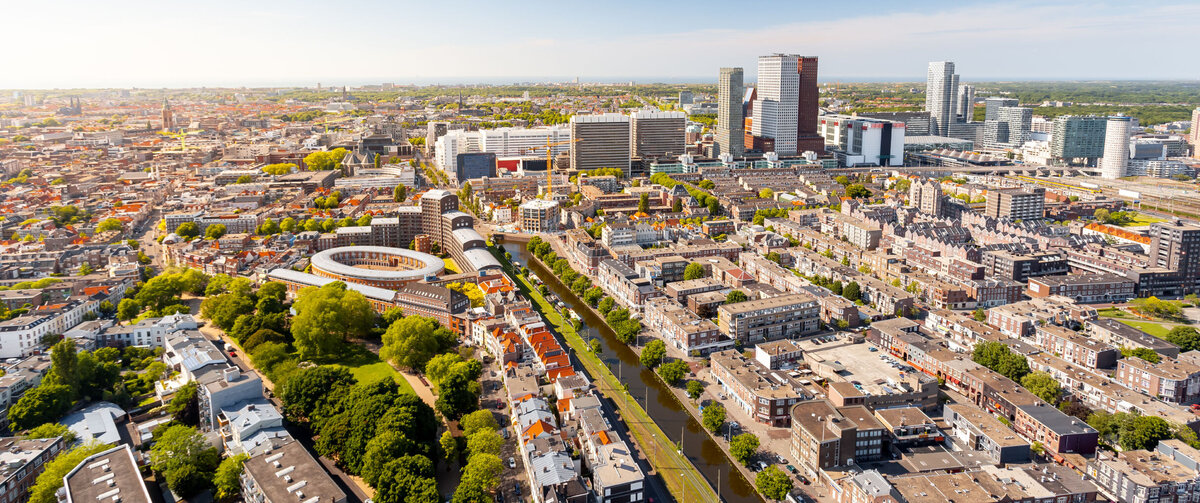
Converting the Document Templates
“I was the point of contact and responsible for launching the project alongside SmartDocuments, which, at the time, was still known as High Concept. It was a smooth collaboration. They made a proposal for the solutions and showed us how to set everything up,” recalls Marco. The Municipality of The Hague set to work on the technical side of the templates and took care of converting the data part. At the same time, SmartDocuments worked on converting the WordPerfect templates into Word templates. This was quite the project, given that the Municipality of The Hague had around 1,000 templates that needed converting and checking. It took a long time to complete, especially since it involved a substantial amount of manual work.
All said and done, the project took about a year. During this time, two of SmartDocuments’ employees were working in the offices of the Municipality of The Hague on a regular basis, which Marco saw as a major plus: “With a project as large as this, it was crucial. You have to work together well to make sure the process runs smoothly.” And the process certainly did run smoothly. Marco: “It is a very generic solution for managing Word templates. This could be introduced in a number of other departments of the municipality as well. Functional Management has created a custom solution that retrieves the data from the file application and forwards it to SmartDocuments as an XML file. This allows us to send templates based on the data in the file.”
Multiple Custom Solutions
Every project poses a certain degree of difficulty, and this project was no exception. The Municipality of The Hague works with different types of letters, which are all set up in different ways. For instance, they have letter types made up of numerous building blocks and even some containing multiple sub-letters. “We also use merged letters, such as letters with multiple recipients. In addition, some letters need to include the contents of previous letters,” adds Marco. “That’s already two types of documents that need their own approach in terms of structure. SmartDocuments had to devise a custom solution here.”
A link to the permit system was required, but did not yet exist at that time. The municipality wanted to be able to invoke SmartDocuments from within the permit system itself. That meant that the problem did not lie in the ‘execution’, but rather in the front end of the system. SmartDocuments took up the challenge and created a variety of custom solutions. “And the solutions they provided were great,” Marco adds.
A Massive Project, But no Major Stumbling Blocks
Over 15 years later, it is still plain to see the project was massive. All the same, Marco is satisfied with the results and cannot recall any major stumbling blocks: “Because they were here working with us, they could really see how everything worked on our end and were always able to come up with the right solutions. What they delivered worked. It just took a lot of work to build the templates.”
Marco can certainly see that SmartDocuments is currently enjoying rapid growth. During the last joint project, the Municipality of The Hague noticed that SmartDocuments employees had a lot more work back at the office than was the case earlier. “We recently completed another large project with SmartDocuments, where we migrated from the older version to the web version. SmartDocuments was happy to manage and guide the process, so at certain times, we also had their consultants in our organization. They brought a lot of added value this time as well, though it didn’t go quite as smoothly as when we first started working with SmartDocuments years ago. This was partly because the technical side is handled in a different department at the municipality,” he explains.
“They always came up with the right solution.”
A Different Way of Working
The Municipality of The Hague uses SmartDocuments differently from most other organizations. Marco: “In SmartDocuments, users normally see a selection screen asking which template they want to use to create a document. That’s not how we use SmartDocuments though. We use it within our own permit application. That’s where we generate letters, using SmartDocuments templates as the basis.” And what, in Marco’s opinion, is the greatest advantage of using SmartDocuments? “That you hardly notice it,” he quips. “The best thing about it is that most letters created with SmartDocuments require virtually no interaction from the user. We insert as much information as possible from the permit system, and we end up with a letter that is as complete as possible from the system.”
Working with SmartDocuments saves the municipality a lot of time, especially by eliminating all the cutting and pasting. Marco: “Letters are quick and easy to draft, so template management works well. It also offers plenty of advantages for information management. For instance, in the new version in particular, it is easy to find and edit specific texts.” And for the users? Marco again highlights the same strength—people hardly notice it. “They don’t have to deal with the process. The letter just appears,” he explains.
Personal Communication
Marco is very satisfied with the collaboration with SmartDocuments: “It was definitely a big plus that their people were on the ground with us at the time, working on solutions together. The communication style was highly personal. It doesn’t feel like you’re dealing with a big corporation. Instead, it feels like you’re working with real people.” An added bonus that Marco mentioned was the influence that SmartDocuments’ clients have when it comes to innovations. Marco: “They take surveys to get an idea of the current situation and to identify what is required. As part of the user group, we are able to share our experiences. Unfortunately, the way we work with SmartDocuments is so different from other users that our requests often don’t line up. Regardless, it’s still a wonderful initiative from SmartDocuments!”
Request a demo and discover how SmartDocuments could benefit your organization!
From 2000 to 350 Standard Documents Thanks to SmartDocuments
Kurt van Dueren den Hollander, Project Leader at Tilburg
SmartDocuments has achieved an enormous improvement in quality for the Dutch municipality of Tilburg through the consistent use of existing data in documents.
A few years ago, JDEdwards was chosen as the ERP system. It quickly became apparent that a connection with a document generator would provide significant efficiency gains for the creation of, among other things, purchase orders. The document creation platform of SmartDocuments was able to do that quickly, saving the municipality a lot of money, time, and management effort.
What Was the Specific Request and Need?
Kurt van Dueren den Hollander is Project Leader in Tilburg: “The consequence of choosing JDEdwards was that it determined where our digital future was at. The creation of purchasing documents had to take place from JDEdwards. As a local authority, we create a lot of documents. Approximately 2000 civil servants work for the municipality, which has a population of almost 210,000 inhabitants. At one point, there were nearly 2,000 standard documents in circulation, which kept growing, which wasn’t a workable situation in terms of usage and management. We had to look for a tool that would help us get a better grip on the flow of documents – especially the creation of documents – and it had to be user-friendly. In addition to being simpler and more manageable than JDEdwards, it had to have a stable connection with it.”
“The XML generator included with SmartDocuments is by far the most developed of all the options currently on the market.”
Connection
“The XML generator included with SmartDocuments is by far the most developed of all the options currently on the market. This formed the basis for linking the document creation platform to JDEwards. SmartDocuments uses relevant data from JDEdwards and places it in a document. Users work with a wizard that allows them to finish building the document. The user is asked questions, after which SmartDocuments retrieves the required information from other systems and inserts it into the defined layout. This enables us to create all documents from one source: SmartDocuments. It also ensures that the information from underlying sources is used consistently, with everything in the right place and reflecting the current situation.”
“SmartDocuments has achieved an enormous improvement in quality through consistent use of existing data. Fewer errors are made because data no longer needs to be retyped.”
What Is the Gain?
Using SmartDocuments as a generic tool for document creation in cooperation with JDEdwards has given Tilburg a lot of advantages. Van Dueren den Hollander elaborates: “The number of municipal standard documents is now under control and reduced from 2000 to about 350. SmartDocuments has realized an enormous improvement in quality through consistent use of existing data. Fewer errors are made because data no longer needs to be retyped. An investment is quickly recouped through simplified document creation. Now we can quickly see in SmartDocuments which standard documents aren’t used. This way, management is controllable and simple. Everyone works with SmartDocuments in the same consistent way.”
JDEdwards as A Basis, SmartDocuments as A Platform
Van Dueren den Hollander is happy with the integration realized by SmartDocuments. “Creating new outgoing documents happens via one uniform platform: SmartDocuments. We don’t need external people, for example, to make adjustments to JDEwards in order to generate those standard documents for us and adapt them periodically. That saves a lot of costs, and the in-house management is also a lot easier and faster. All procurement documents from the ERP system can now be supplemented by SmartDocuments with structured and consistent information for the recipient. An imminent integration with the business system should ensure that all these documents are also available in the digital file from which the employee serves their customers.”
Request a demo and discover how SmartDocuments could benefit your organization!
Boosting Consistency and Efficiency for Legal Document Creation
Frieder Schelle; Team Leader Legal Consultants at Trusted Shops
For Frieder Schelle, Team Leader Legal Consultants at Trusted Shops, using SmartDocuments has made a major contribution to meeting increasing demands when it comes to advising online shop owners. Creating documents consistently and efficiently is crucial, especially when it comes to binding legal advice.

Growing Demands
Trusted Shops was founded in Cologne more than 20 years ago. The company offers services to online shops and their customers, such as seals of approval, buyer protection schemes and customer ratings systems. In 2014, these comprehensive consultancy services were expanded to include legal services, thereby offering online shop owners protection against legal challenges, among other kinds of assistance.
Solution for Complex Issues
Initially, these legal services were offered as legal advice in conjunction with law firms. In the process, each legal issue had to be examined on an individual basis, and the limits of what was feasible – and what was economically viable – were quickly reached. All the more so as recurring processes increasingly demanded simpler, standardised solutions, even with regard to complex tasks.
In search of a suitable tool, they first came into contact with SmartDocuments in 2015. It quickly became clear to Frieder Schelle that he had found the right provider – one that was able to program building blocks for texts concerning complex legal issues in such a way that online protection could be made legally compliant. This ensures that shop owners are able to successfully defend themselves, for example, when it comes to cease-and-desist letters. As Frieder pointed out, Trusted Shops felt that “they were in good hands right from the start”, because SmartDocuments very quickly understood their complex requirements and were able to translate them into simple solutions.
Efficient Work Processes
What impressed him the most: After just two intensive days of training in the basics by SmartDocuments experts, Trusted Shops employees were ready to get to work. “The training was top-notch”, Frieder asserted and went on to explain: “We learned very quickly how simple and logically the usability aspects are structured. The effort needed in our day-to-day work was reduced by more than half when it comes to some of the documents we require on a regular basis. This not only saves our staff from having to do tedious, repetitive tasks, but also helps save costs. Using SmartDocuments also automatically leads to a common standard, which is constantly being improved upon. All of the employees who work with SmartDocuments are able to add notes in a centralised location regarding potential improvements to the documents, helping them work together toward achieving better documents. This allows us to give reliable expert advice at any time and successfully assist our customers.”

Continuous Support
The fact that Trusted Shops can offer its own customers legally binding expertise – with the help of the solutions from SmartDocuments – was a huge step forward in expanding its consultancy services. And it was not the last, because the support offered by SmartDocuments goes far beyond just one-time implementation, software training and technical support.
In terms of content, there is also continuous collaboration concerning additional solutions which need to be created in order to address constantly shifting and expanding industry requirements. This is necessary to continue meeting demands in the future in a flourishing market. “In 2019, we had a very long discussion with the support team”, explained Frieder, “where we defined points to consider regarding solutions to additional challenges we may face. It was great to see how extensively and promptly our contacts at SmartDocuments responded to our situation and how they were able to make suggestions for expanding our services after only a very short time. This is how you imagine a solid, goal-oriented relationship to be with true service providers.”
"This regular exchange will make it possible to continue offering exemplary consultancy services in the future as well.”
When it comes to customer care, everything that Trusted Shops pointed out is a matter of course for SmartDocuments. This close and trusting collaboration is truly put into practice – to the benefit of both parties. Markets grow, demands change and the requirements that result have to be addressed on both a technical level as well as in terms of content. This is the only way to turn customer relationships into true partnerships.
Request a demo and discover how SmartDocuments could benefit your organization!
Improving Efficiency and Template Control
Monique Wacht, Woonbedrijf Eindhoven
Housing corporation Woonbedrijf is convinced of the benefits that SmartDocuments provides for improving the customer communication process. The clever layout with headers and footers, building blocks (standardized elements used in many documents, such as an mailing address), corporate identity and other reusable information are all managed in one central place.
Woonbedrijf manages over 31,000 homes in Eindhoven, which makes them the largest housing corporation in the south of The Netherlands. Daily, 500 employees serve the 70,000 tenants.
“With SmartDocuments, we have initially saved €250,000 by not having to invest in creating 120 SAP document types.”
What Were the Requirements?
Woonbedrijf has replaced multiple IT systems with one integrated solution from SAP. However, the need to continue working with document generator SmartDocuments was clear from the start. It wasn’t even an option to stop, according to Monique Wacht, application and database administrator at Woonbedrijf. “It didn’t even cross our minds to stop using SmartDocuments. Since 2008 we have experienced the ease of managing templates and the efficiency of using SmartDocuments. Because of the ease of integration with SAP, we use SAP letters more efficiently by managing it in SmartDocuments.”
ROI?
“Our end-users are familiar with SmartDocuments. As application managers, we are very satisfied with the benefits of the process of generating documents, such as entering all the information in one system, with headers and footers, building blocks, corporate identity and even reusable data records. We know SmartDocuments very well and know that they can process XML. Even our SAP supplier AEPEX endorses SmartDocuments for easy collaboration and flexibility. Within SAP, there is a solution for standard documents, but this is quite inflexible and complicated. Plus, for modifications of standard letters, you are always dependent on a programmer,” Monique says.
“In SmartDocuments, we manage the document templates ourselves. SAP provides the (XML) data and SmartDocuments guarantees that the data will be placed at the right location in a document. By using SmartDocuments, we have initially saved €250,000 because now we don’t have to hire an expert to create 120 SAP files.”
Creating and Managing Templates
Monique continues: “When we began the template construction, we examined which parts of a letter we could reuse as building blocks. This would reduce the number of template objects needing to be maintained as well as allowing them to be modified in one central place for every document.” “XML fields are easily dragged and placed in the desired position within the template. Without any intervention by the end-user, you can generate fully automated and complete documents. With the so-called XML query fields, it’s possible to define documents with repeating content, such as service costs. This is truly a great feature,” she says.
“It’s more user-friendly and, above all, more logically laid out.”
User Experiences
“The end-users can choose SmartDocuments in the SAP options,” Monique tells, “the user will be shown a library of relevant documents. If they, for example, click to create a rental agreement, the document will appear. In the background, SAP provides SmartDocuments the relevant data from which the variables can be entered automatically. This guarantees a quick and smooth document creation process. And the beauty of it all is that interaction with the end-user is so simple. We also have standard letters in which 95% of the information comes directly from SAP, but the end-users are shown a screen from SmartDocuments.”
The Approach
Monique explains how she was able to initiate a project to create standard letters parallel to the SAP implementation. “This way we prevented having to do it as a sequential step in an implementation process. Another advantage is the ease of understanding which (XML) data is needed for the creation of letters. As a starting point, we used the output from an existing system for the document creation of SAP letters.”
Request a demo and discover how SmartDocuments could benefit your organization!
Saving Time with Centralization and Pre-Defined Fields and Formulations
Sabine Burfien, Municipality of Lüneburg
SmartDocuments in the Municipality of Lüneburg - A Success Story
The administrative municipality of Lüneburg, Germany is convinced that skilful planning and action by the public authorities have a positive influence on the quality of life of every individual. For three years, the municipality has therefore been working with the SmartDocuments software solution to facilitate document management and guarantee output management uniformity. Sabine Burfien works for the municipality’s information and communication technology department as a specialist for Microsoft Office products and as a supervisor for SmartDocuments. In this interview she tells about the municipality’s experiences with SmartDocuments.
The Situation Before SmartDocuments
Like many other public authorities, the municipality of Lüneburg did not have document template management software before using SmartDocuments. “We didn’t have any alternatives in the past, so until the change we created our templates in Word,” says Sabine Burfien. The old system with the Word templates was cumbersome and caused major problems in the area of output management: “We faced the challenge of having different versions of the same templates. For example, as a county we have an official header with important data, coat of arms and logo. The footer contains, among other things, our bank data. In the past it often happened that we had to adapt data in the central template, for example because the bank details had changed. This was then not implemented by our colleagues. The colleagues then used an outdated template with the wrong bank data for years. In order to tackle problems with template management, the former specialist service provider was looking for a new system. By chance, we heard from another administration that they were working with SmartDocuments and we saw the potential of using the software for our own municipality.”
The Implementation of SmartDocuments
When implementing SmartDocuments in the existing system, the flexibility of the software solution paid off. Sabine Burfien was already employed by the municipality at that time and remembers: “Linking SmartDocuments to our IT system ran smoothly at that time. We received mixed feedback from the employees; some thought it was great and others were sceptical at first. I think that’s quite normal with such a change in the IT sector”. For about three years now, SmartDocuments has been used in the municipality of Lüneburg for all documents outside the specialist processes. The verdict so far is positive: “We are very satisfied with SmartDocuments.”
How SmartDocuments Is Used
At present, SmartDocuments is used in the municipality of Lüneburg mainly for general correspondence. Within the specialist procedures, process-specific templates are still mostly used. “You can imagine it like this: If, for example, a citizen applies for a building permit, all correspondence is handled via the specialist procedure. If, however, a letter is prepared at the building authority, which is not within the building permit procedure, then this is done via SmartDocuments. A specialist service therefore always works with SmartDocuments when it comes to general correspondence, such as a business trip application. All central templates that have nothing to do with a specialist procedure are used throughout the building and managed with SmartDocuments.” The system works well and is well-received: “A good example is the new header we introduced a year and a half ago. Using the SmartDocuments template, this has already been created more than 8000 times. This way we can guarantee output management uniformity.”
One Municipality - One Corporate Design
It is essential that a public authority has a professional approach when communicating with citizens and partners. This includes a uniform writing style and a standardized layout. Two years ago, the municipality of Lüneburg took a big step towards this goal. “Two years ago, the colleagues in public relations introduced a new corporate design for the entire municipality. We also took this change as an opportunity to make the use of SmartDocuments mandatory for all employees. Since then, for example, all head sheet templates have been uniformly taken from SmartDocuments. By using SmartDocuments, the municipality has been able to present itself professionally and consistently in general correspondence. This creates trust among citizens and partners.”
Creating vs. Filling Out - Where Is the Time Saving?
In the long run, SmartDocuments will save employees a lot of time and effort. However, they first have to invest some time when creating new document templates: “Creating templates primarily costs more effort than simply inserting text fields in Word. However, once the template has been developed, the user has a much easier time filling it in. The SmartDocuments system saves a lot of time because it can use pre-defined fields and formulations. For example, you no longer have to pay attention to gender-specific formulations because the correct spelling is already stored thanks to SmartDocuments.”
Fewer Templates and All in One Place!
Another major advantage of SmartDocuments is that all document templates are managed centrally in one place. In the municipality of Lüneburg, 748 templates are currently being worked with within the SmartDocuments software. That may sound like a lot, but on the contrary: “Before, we had considerably more templates, which were all to be found in different places. Each specialist service has knitted its own templates to some extent. This often meant that the corporate design could not be adhered to. With SmartDocuments we now centralized this. Before SmartDocuments there were many more versions of the same document template with different header sheets. Now we only have one official version that is used by everyone.”
Feedback from the Municipality of Lüneburg
Overall, the municipality of Lüneburg is very satisfied with SmartDocuments. Of course there is room for improvement everywhere. “At the moment, there is a lack of linking SmartDocuments to various specialist applications in some places. Specialist services such as the building authority or the youth welfare office have their own specialist applications and then have to use different templates for them.” The more specialist procedures work together with SmartDocuments, the more documents can be managed simply and centrally with one software solution. The goal for the coming years therefore is to link SmartDocuments to as many specialist procedures as possible. “We have already had visits from SmartDocuments employees from the Netherlands. They looked at our specialist applications and asked us which specialist processes are our top priority. It’s good to know that SmartDocuments supports us in such an uncomplicated way, and it’s important. The hierarchy is flat there. This ensures that your wishes and suggestions are always listened to and that you are helped quickly.”
Request a demo and discover how SmartDocuments could benefit your organization!
Always Looking for the Best Way to Successfully Answer Complex Questions
Christian Solmecke LL.M., lawyer and partner at WBS
As important as it is for the Cologne law firm WILDE BEUGER SOLMECKE to provide sound legal advice to clients, so too is its ability to efficiently manage and retrieve up-to-date written submissions at any given time. Together with SmartDocuments, they developed a solution for the legal sector that is also fascinating for other specialists and high-volume businesses.

Creating Solutions Together
“It was essentially a coincidence that brought us together”, Christian Solmecke, LL.M., lawyer and partner in the law firm, was delighted to say, “but we quickly realized how valuable SmartDocuments could be for our interests and future requirements.”
About four years ago, Christian attended a Legal Tech MeetUp, a networking exchange for lawyers, solution providers, startups, experts, students and anyone interested in (legal) technology. It was there that he met a sales representative from SmartDocuments who demonstrated to him the benefits of the software. Fascinated by the possibilities of how it could be used by municipalities to efficiently organize their document management, Christian soon understood what he was looking at. These were the building blocks that could take the firm’s legal written procedures – which he had been optimizing on his own until that point – to the next critical level.
This chance meeting turned into a development partnership – and a win-win situation for both sides, WILDE BEUGER SOLMECKE and SmartDocuments.
Necessity is the Mother of Invention
What was initially a matter of necessity soon turned visionary. Ten years earlier, the law firm had already begun transitioning internally from purely paper-based processing to digital processing for a number of similar procedures in order to have faster access to future mandates and reduce processing time.
This was because WILDE BEUGER SOLMECKE had become increasingly well known and sought after due to its commitment to victims, often parents of children, who had unsuspectingly committed an offense when visiting ‘music sharing’ platforms. They were also increasingly visible due to their commentary on these processes on a variety of channels – initially through their law firm’s blog, and later through TV appearances and ultimately on its own legal YouTube Channel, which is one of the largest in the sector. The outcome: inquiries have increased dramatically, with more than 10,000 mandates needing proper processing. The perfect self-marketing approach inevitably needed to be followed by the perfect data processing solution. Almost inadvertently, Legalvisio was created – the first ever comprehensive law firm management system.
It All Started with Building Blocks for Texts
Christian initially developed a web-based solution for creating written submissions and documents using building blocks for texts. Initially, nothing was automated. But the tasks quickly grew – and with them the demand for recurring processes. Contracts had to be put together appropriately, each statement of defense had to be formulated according to one of over 100 defense scenarios, and much more. For a long time, they had, as Christian affectionately put it: “Our Kellarkinder! Employees who actually had to continuously deal with extracting and preparing the correct text passages from documents archived in the cellar.”
Development Thanks to SmartDocuments
It was clear that these ‘Kellarkinder’ could not be a permanent solution. After the meeting at Legal Tech, a crucial further development took place. Together with SmartDocuments, a customized program for automated processing was created for all of these tasks, and a new SmartDocuments officer position was also created in the firm. Because no matter how good the software solution is, the outcome always hinges on ensuring that it is constantly up-to-date.
Creating New Ideas Together
Christian is already contemplating new developments and possibilities with SmartDocuments. The story of success continues.
Request a demo and discover how SmartDocuments could benefit your organization!
Trusted by More Than 500 Customers Across a Wide Range of Industries
Whether you're a small business, a growing mid-sized company, or a large enterprise, SmartDocuments
makes document creation simpler, faster, and more efficient.
Our customers include organizations with high document volumes and demanding communication processes. They range from public sector institutions, such as regional governments, municipalities, and local authorities, to banks, insurance providers, commercial enterprises, schools and universities, property management companies, housing associations, healthcare organizations, care providers, and law firms. Despite their different industries and requirements, they all share a common goal: creating professional, consistent, and compliant documents while reducing manual effort and increasing efficiency. With SmartDocuments, organizations of all sizes can streamline document processes, improve communication quality, and ensure that documents are created quickly, accurately, and in line with corporate standards.
Customer Quotes
-
Christian Solmecke, Rechtsanwalt
"Our collaboration with SmartDocuments is a win-win situation."
-
Frieder Schelle, Trusted Shops GmbH
"In our daily work, the effort required to prepare a number of regularly required documents was reduced by more than half."
-
Sabine Burfien, Landkreis Lüneburg
"The SmartDocuments system saves a lot of time because it can use pre-defined fields and formulations."
-
Frank Samadani, Ejendals
"Using SmartDocuments allows our safety experts to create reports in a more professional and structured way."
-
Ben Keizer, Contra Costa Health
"With SmartDocuments, we have access to a library of standardized document templates. The documents generated are complete, consistent, and presented in the same layout every time."
-
Marco Boot, Gemeinde Den Haag
"It's a very generic solution for managing Word templates. This could be introduced in a number of other places in the municipality as well."
-
Chris Nieuwenhuize, GREEFA
"Ultimately, we chose SmartDocuments because it is not an overly difficult configurator. Also, the software is very flexible when it comes to layout."
-
Nico Huisman, Groningen
"We manage a total of around 5,000 different templates, ranging from a building permit application to a nuisance report."
-
Hasan Kazem, GrowWork Group
"Automating our resume conversions works super efficiently. Where we used to need about an hour per resume, we can now convert them in a few minutes"
-
Leuntje van Duijn and Irene Keehnen, Heemstede & Bloemendaal
"An official partnership developed bottom-up. When we came together, one of the first requirements was that our automation departments had to be able to run the same programs."
-
An Van Herck, HSK Groep
"By keeping the administrative burden low, there is more time for client contact."
-
Rolf, Melanie and Joop, Omgevingsdienst IJsselland
"This platform automates our services, both for residents and businesses and for our own employees."
-
Elisabeth Mustonen, Länsstyrelserna
"In one year, our most frequently used template has generated over 52,000 documents."
-
Tanja und Jeanine, Meerinzicht
"It's very nice to have an application with which you can harmonize everyone's work. SmartDocuments does that for us."
-
Marjolijn Winter, Larics
"SmartDocuments has reduced our administrative burden and, more importantly, it has allowed us to give the people of Leusden unambiguous answers."
-
Petra Verberne, Someren
"The collaboration is great. Working with the SmartDocuments team is very straightforward."
-
Kurt van Dueren den Hollander, Tilburg
"SmartDocuments has reduced the number of standard municipal documents greatly; from over 2000 to only about 350."
-
Steph Hamel, The Travel Corporation
"Compiling the documents was a time-consuming task before SmartDocuments was introduced"
-
Raymond and Ciska, Waterschap Limburg
"Due to the powerful integration between GoverMaxx, SharePoint Online, and SmartDocuments, users perceive it as a simple way of working."
-
Monique Wacht, Woonbedrijf Eindhoven
"With SmartDocuments, Woonbedrijf Eindhoven has already saved €250,000 on creating 120 SAP document types."
-
Alwin Flim, Groningen
"What's particularly positive is the knowledge and skills they put into a project of this kind and the way they set up the service and help desk. They're ready to help, immediately and anytime."